Before you share a debt
Add the person as a debt account if you haven’t already. To link your records, both of you need finerd and your own Personal space. A debt account holds one currency. Set your name and payment options before sharing. On the web and iOS, Settle-up sheet asks you to enter your name if it is missing. Linking accounts does not copy old transactions or make different starting balances match. Compare what each of you has recorded before relying on new shared debts.Link your debt accounts
On the web:- Open Accounts, then the person’s debt account.
- Select ⋮, then Link account.
- In Link accounts, copy the invitation or choose a way to share it with that person.
- The other person opens the invitation in their own finerd account and selects Accept. If asked to Assign a debt account, they choose the account they use for you or create one.
Notify someone about a debt
For someone whose account is not yet linked, record the amount using a Debt transaction. For a friend’s share of a purchase, follow Split a transaction.- Web
- Android
- iOS
- Check the person and amount in the transaction.
- Keep Notify about debt selected and select Save & Notify.
- If asked, enter the name the other person should see and add a payment option.
- If finerd opens Share, send the debt link to that person. Check whether finerd reports that the person was notified instead of opening a share sheet.
Review a debt someone shares with you
Open the shared debt on the web or iOS and check the sender, date and your part of the amount. If there is a receipt, use it to check the details.- Choose Accept to add the debt to your records. If asked to Assign a debt account, choose the person who sent it or create their debt account.
- Choose Decline if you disagree with the debt.
Check the settlement sheet
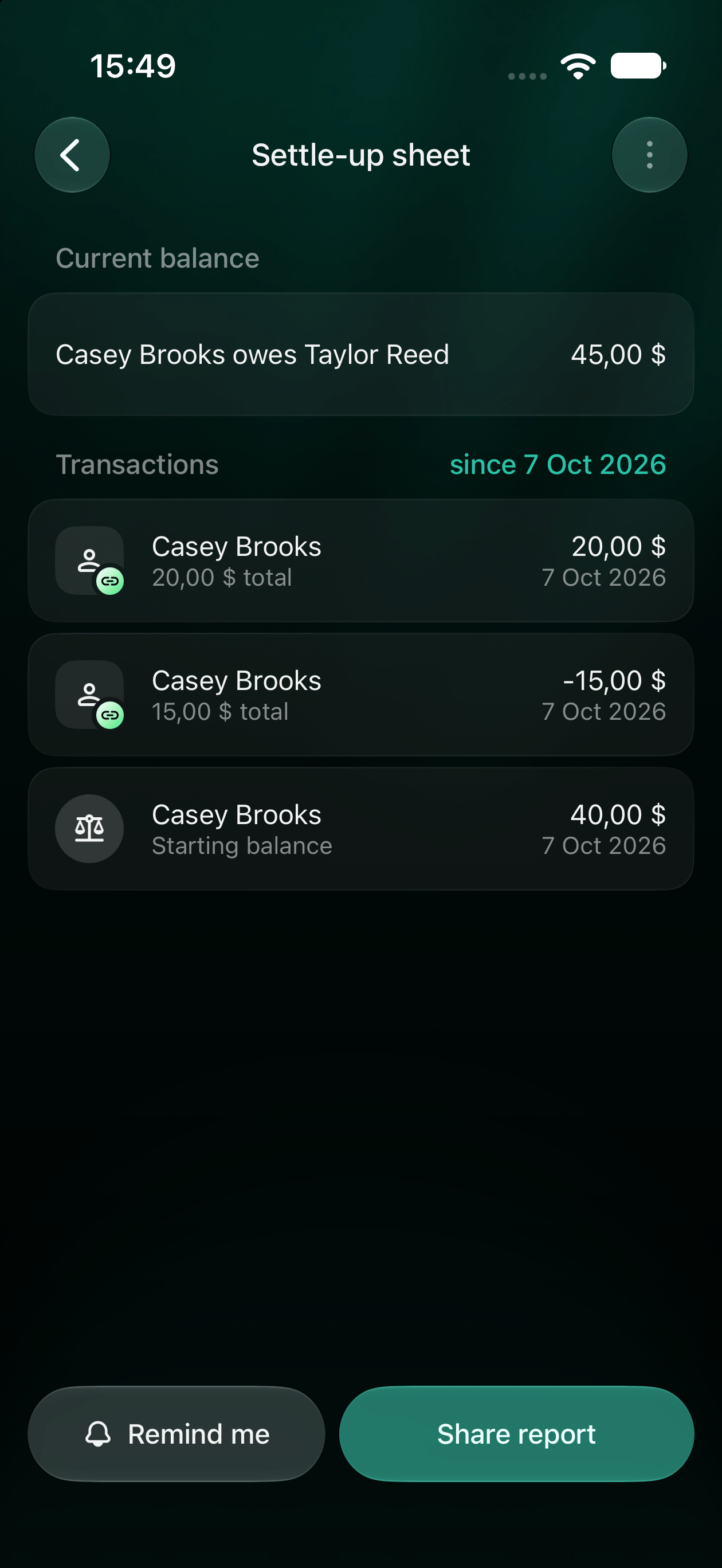
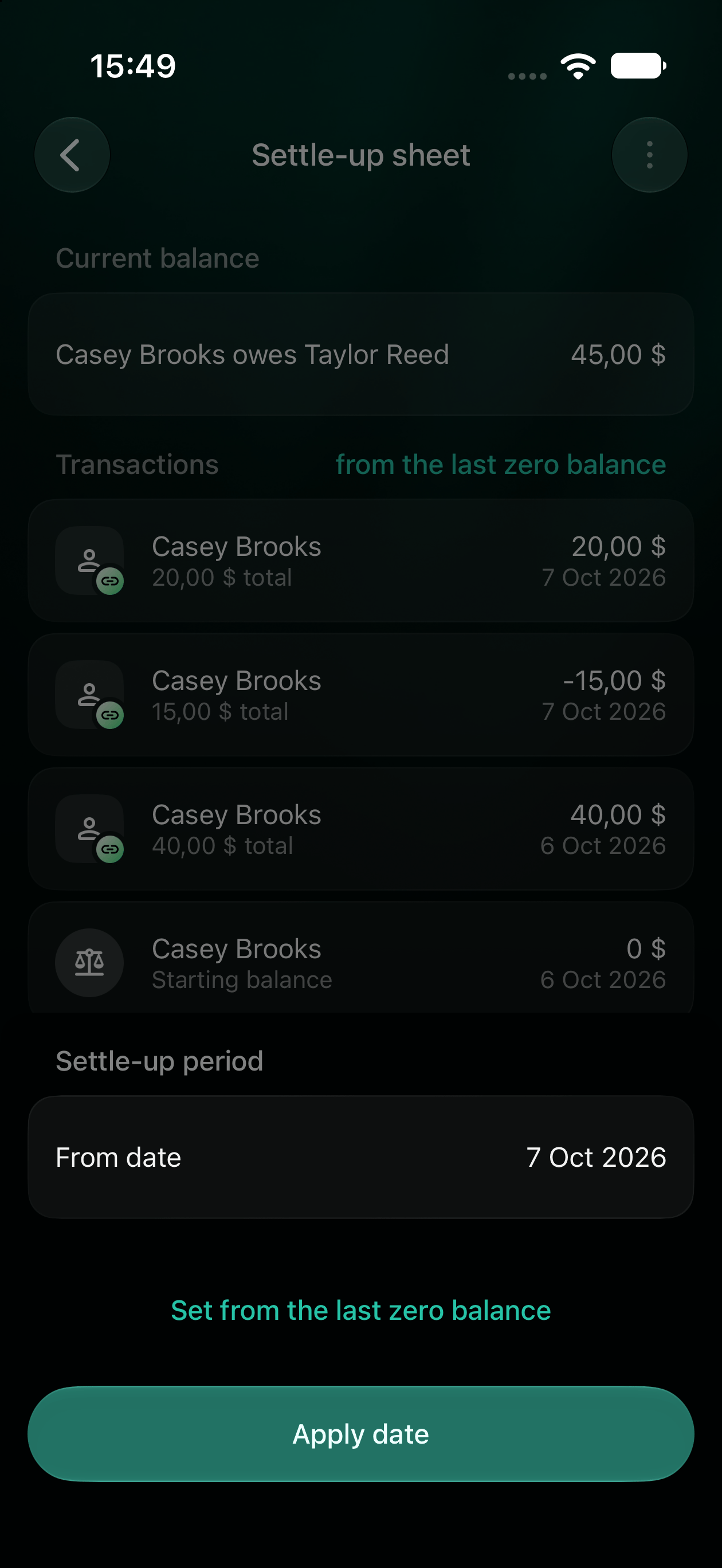
Open the person’s debt account and choose Settle-up sheet. It shows the current amount owed, the transactions in the period and the starting balance. By default, the period starts from the last zero balance. If the latest transaction cleared the debt, the sheet keeps the last completed period so you can review it. For example, Casey owes you $40 at the start of October 7. You lend Casey another $20 and receive $15 back that day. Select October 7 as the start date: the sheet shows a $40 starting balance, +$20, −$15 and a current debt of $45. Compare the entries if the other person’s records show a different amount.- Web
- Android
- iOS
- Select from the last zero balance beside Transactions.
- In Settle-up period, select From date, choose the starting date and select Apply.
- To return to the default period, choose Set from the last zero balance.
- To share the sheet, select Share. Add payment options first if finerd asks, then share the generated link.
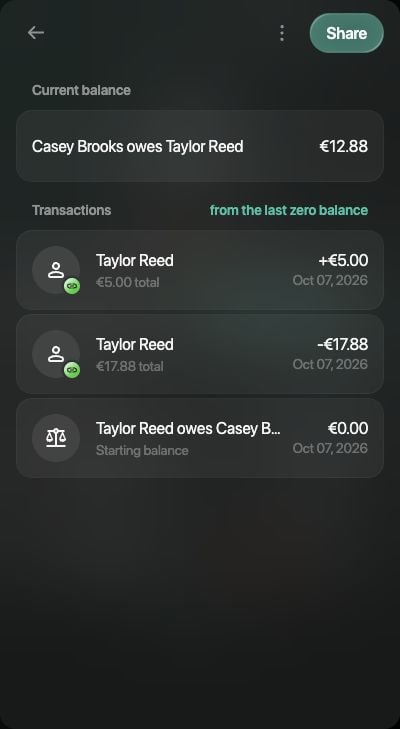
The recipient's sheet shows their own records and remaining debt.
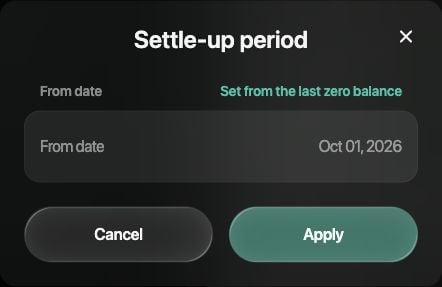
Choose a starting date or return to the last zero balance.
Set how people can pay you back
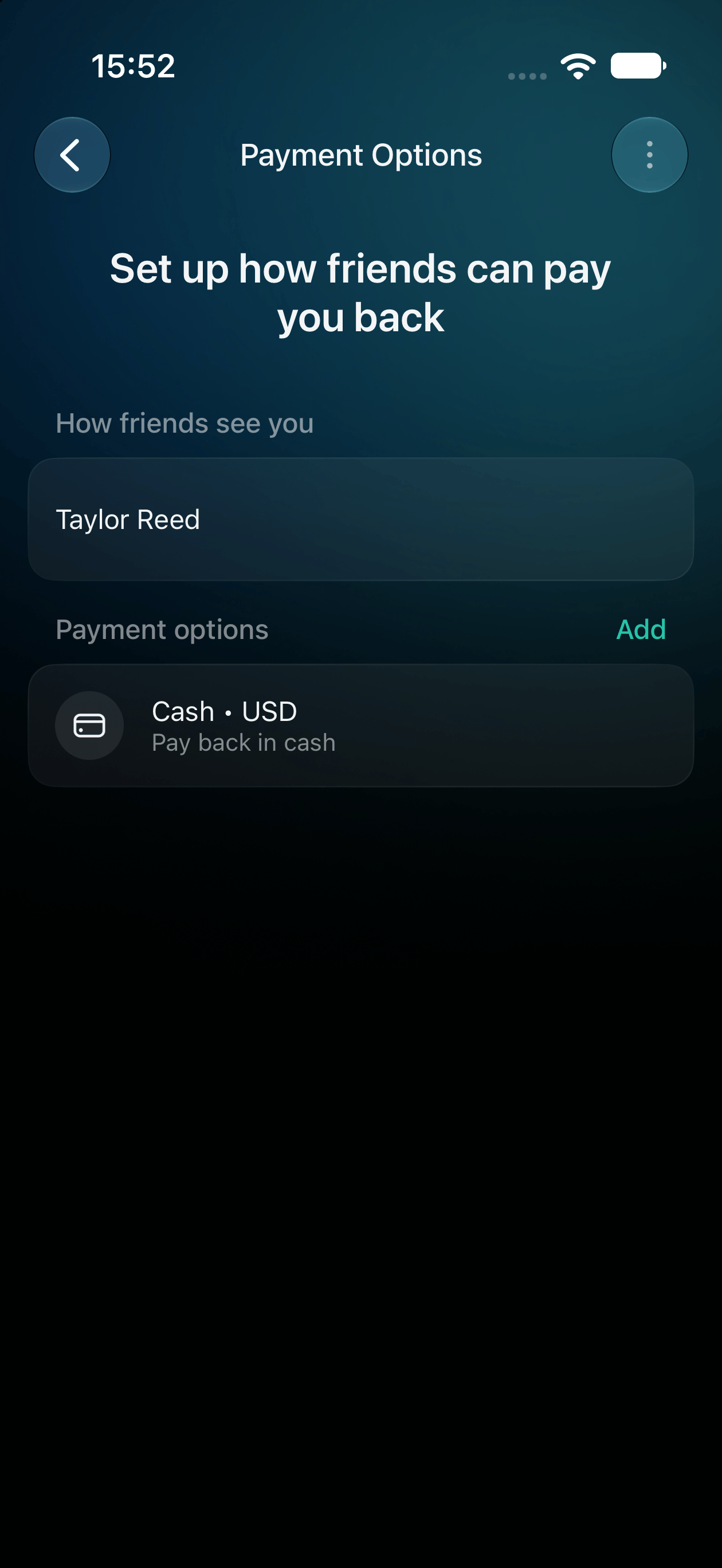
Your payment options tell other people where to send money. Choose the details you want them to use, such as an IBAN or PayPal account.- Web
- Android
- iOS
- Open More, then Payment Options.
- Under Tell friends who to pay, select Add name and save the name the other person should see.
- Select Add payment option (or Add option if you already have one).
- In Select how to pay you, choose a method. Use Add custom option if you need another one.
- Check the currency, enter the details requested for that method and select Save.
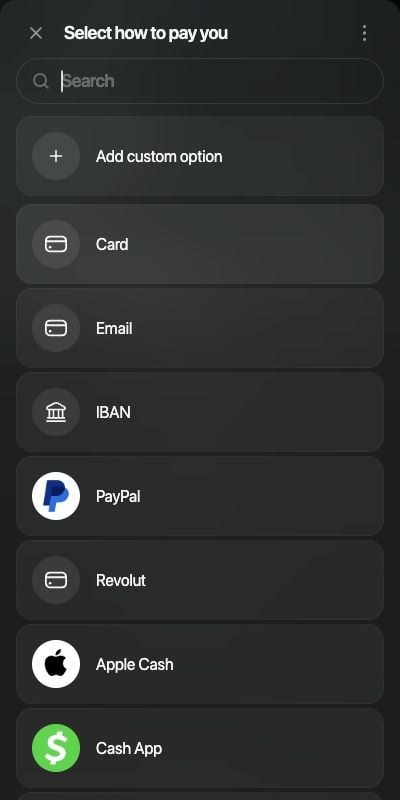
Choose a listed payment method or add your own option.