
What happens to a new bank transaction
Each transaction your bank sends goes through the same steps:- Merchant. finerd reads the bank’s description of the payment and finds the merchant.
- Category. It chooses one of your categories, or leaves the transaction uncategorized.
- Transfer check. If the payment looks like money moving to or from another of your accounts, finerd looks for the other half.
How finerd finds the merchant
The bank sends a short description, such asUber 072515 SF**POOL**. finerd turns it into a merchant in this order:
- Your earlier transactions. If you’ve already changed and saved, or confirmed, a transaction with the same or a very similar description, finerd uses its merchant. This is how a merchant you chose once comes back by itself.
- finerd’s merchant library. Otherwise finerd recognizes the merchant from the description and takes its name, logo and industry from the library, which all finerd users share.
- Unknown merchant. If nothing fits, the merchant stays Unknown merchant. The bank’s description stays with the transaction, so you can still tell what it was.
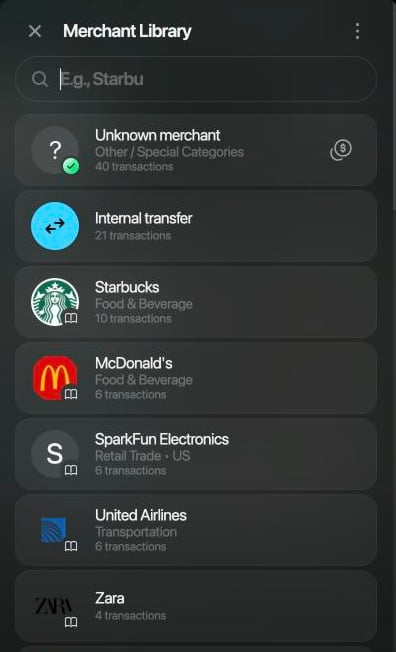
Pick the merchant from the library.
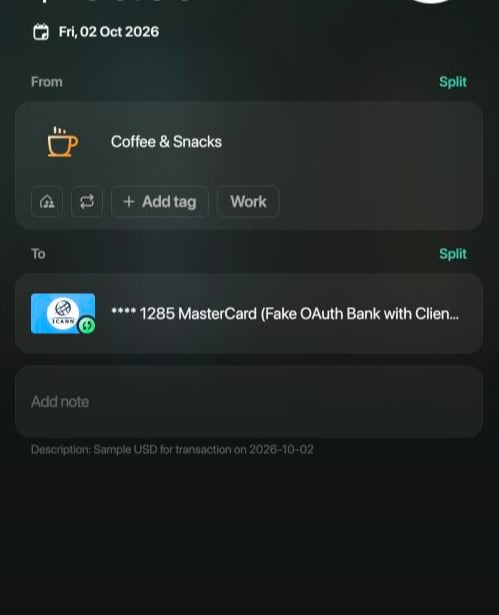
finerd filled in a category for Starbucks. Check it before saving.
How finerd chooses the category
finerd only uses categories you already have; it doesn’t create new ones. It chooses in this order:- Your earlier transactions. If you’ve changed and saved, or confirmed, transactions with a very similar bank description, finerd gives the new one their category.
- What the merchant does. If there’s no such history, finerd picks the category that best fits the merchant, for example Coffee & Snacks for a coffee shop.
- Uncategorized. If nothing fits, the transaction gets Uncategorized Expense or Uncategorized Income and Needs review.
Transfers between your accounts
When you move money between two of your accounts, your bank reports the money leaving one of them. finerd looks for the other half among your transactions from around the same days with a similar amount, even in another currency, and records the move as Internal transfer, so it doesn’t count as spending or income.- Both accounts connected: each bank sends its own half. Until the second one arrives, the amount waits in Money on the way, an account finerd creates for each pair of your accounts.
- You recorded the transfer yourself: when the bank’s half arrives and finerd matches it, finerd keeps the bank’s transaction and removes your copy.
When one change updates similar transactions
When you change one bank transaction, finerd can process similar transactions again so that they follow your change. Nothing tells you this happened, and there’s no undo. It happens when all of these are true:- You changed one transaction and saved it. Changing several at once with bulk edit doesn’t do this.
- The transaction came from your bank and has a merchant.
- You changed its merchant, its category (when it has only one), or turned it into a transfer by choosing one of your accounts. Splitting it doesn’t count.
- Normally, only transactions finerd imported in the last 7 days. The import date counts, not the transaction date: right after you connect a bank, months of its history arrive at once and can all change.
- In Zero Inbox mode, only transactions still marked Needs review.
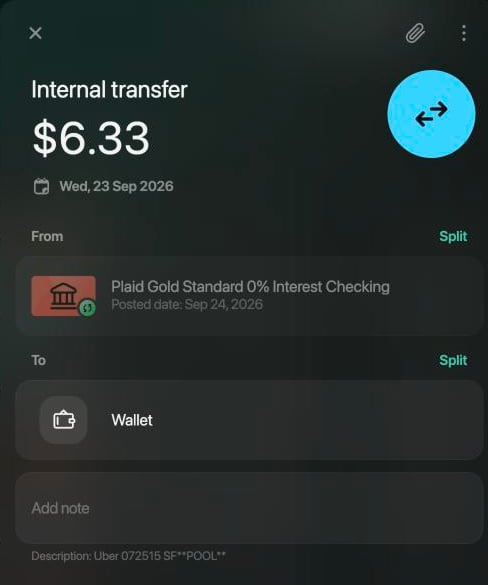
One of the 12 rides finerd changed to follow the edit.
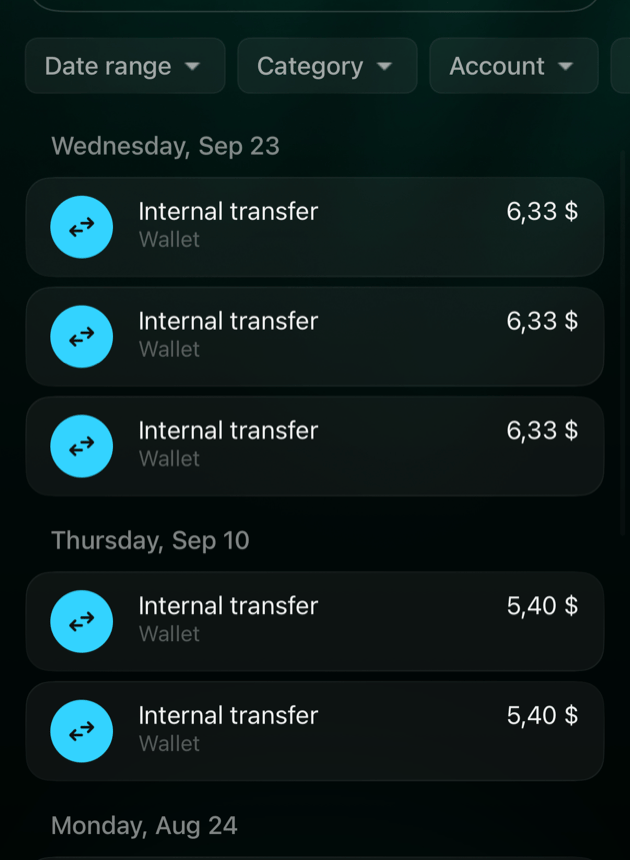
Searching for Uber in the iOS app: every ride is now a transfer to Wallet.