
Before you start
Sign in to ChatGPT and have your finerd account ready. Use the finerd account whose financial records you want ChatGPT to access.Install and connect
- Open finerd in the ChatGPT plugin directory. You can also open Plugins in the ChatGPT sidebar and search for finerd. Check that the developer is finerd.ai.
- Select Install plugin.
- Read the Connect finerd notice, then select Continue to finerd if you agree to continue.
- Sign in to finerd if asked. On the access page, check that the account shown is the one you want to connect.
-
Choose an access level:
Read only is selected initially. Use it if you only want to ask questions and analyze your records.
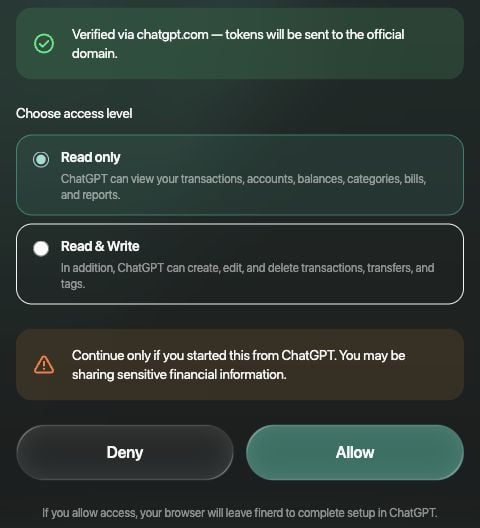
Choose the access you want ChatGPT to have before approving the connection.
- Select Allow to approve the selected access, or Deny to cancel. Your browser returns to ChatGPT to finish setup.
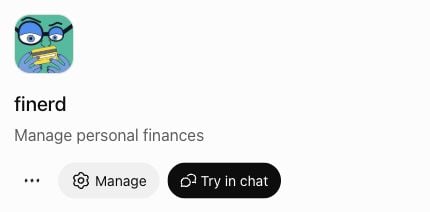
Manage and Try in chat appear after the connection is complete.
Ask your first question
Select Try in chat on the plugin page. You can also mention @finerd in a supported ChatGPT conversation. Start with a question such as “How much did I spend on food last month?” With Read only, ask for information and analysis. Changing records requires Read & Write. ChatGPT can also ask you to approve an action; its approval controls are separate from the access level you grant in finerd. For more examples, see What you can ask finerd.If you can’t connect
- The plugin is unavailable: check your ChatGPT account and workspace restrictions. In a managed workspace, ask the administrator whether the plugin is enabled. See OpenAI’s plugin availability guidance.
- finerd shows an invalid or expired link: start the connection again from the plugin page. Don’t reuse a saved authorization-page URL.
- The wrong finerd account is shown: don’t approve it. Sign in to the intended finerd account before trying again.
- You already see Manage and a connected account: review that connection instead of creating a developer-mode app.