Record the amount you checked for an account and review balance discrepancies.
A verified balance records an amount you’ve checked for an account, together with a date and an optional note. Use it to compare your records with the money you actually have—for example, after counting your cash.Check each currency separately. One account can hold several currencies: if your Pocket cash account contains 100 USD and 50 EUR, record a separate check for each currency. Enter the full balance, not the amount by which it changed.
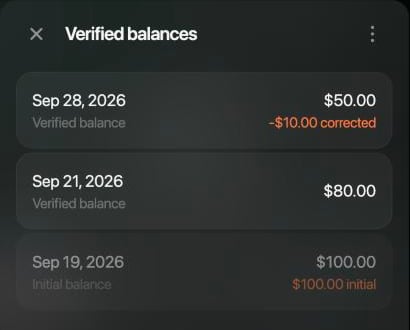
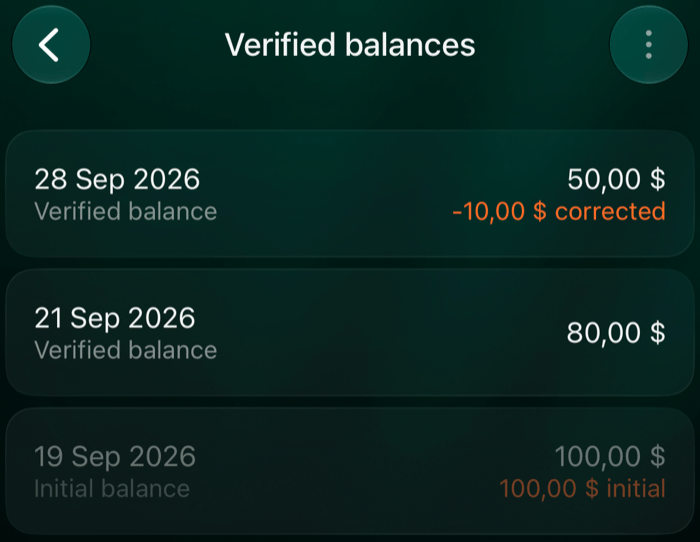
Each currency in an account has its own Verified balances list. It shows the balances finerd checks your transactions against: the ones you entered, the initial balance finerd calculated and, for a connected account, the balance from your bank.
Web
iOS
Open Accounts, select the account, then select the balance in the currency you need.
Verified balances for one currency.
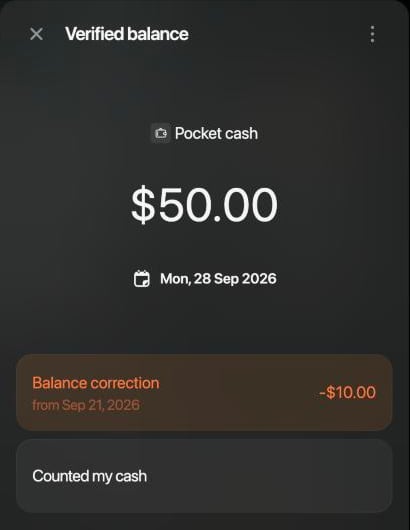
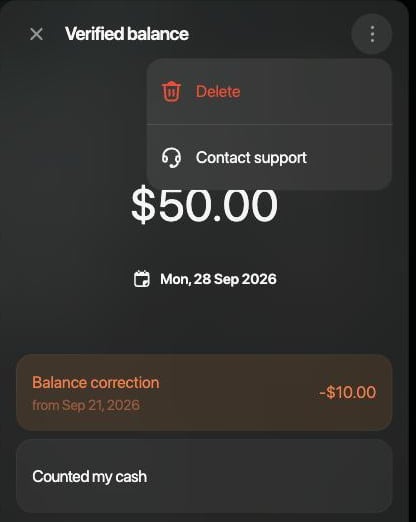
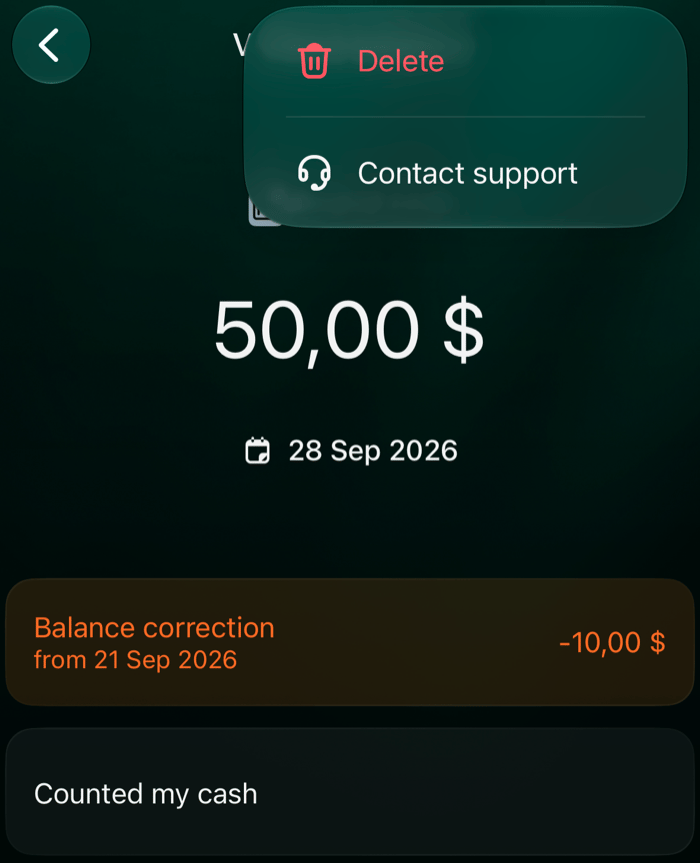
Open a check to see its correction.
Open Accounts from More or the tab bar, tap the account, then tap the balance in the currency you need.
Verified balances for one currency.
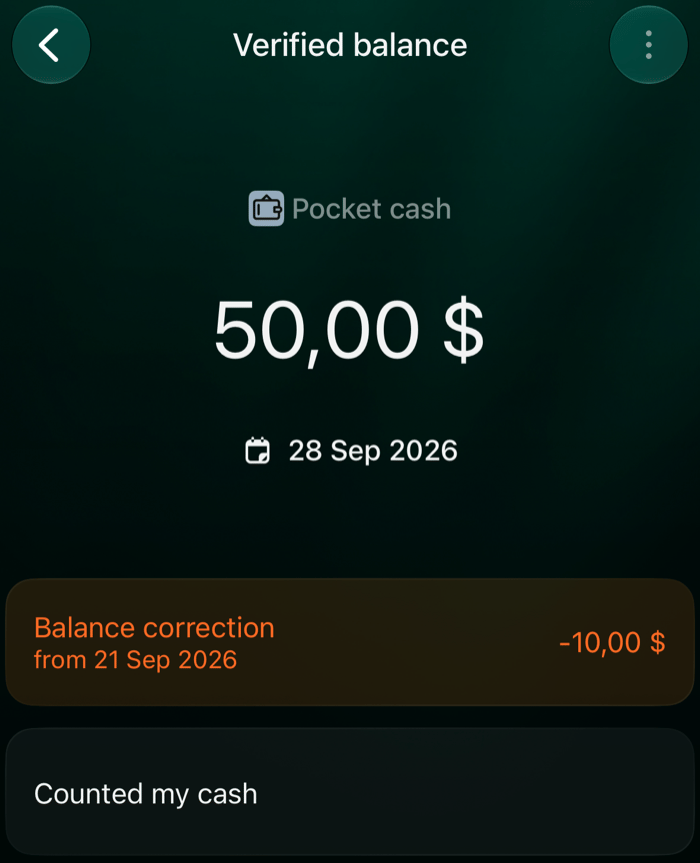
Open a check to see its correction.
Record
Where it comes from
Can you change it?
Verified balance
You enter it after checking the account. A starting balance you enter when you create an account is saved as a verified balance too.
Yes
Initial balance
finerd calculates it for the start of the account’s history.
No
Current balance
A connected bank or institution sends it, if the connection provides balances.
The initial balance is what the account held before its first transaction in finerd. finerd calculates it from your first verified balance or, for a connected account without one, from your bank’s current balance. A difference before that point goes into the initial balance, so no correction appears for that period.finerd records it as an Initial balance transaction dated the day before the account’s first transaction or check.Example. You’ve recorded a 20 USD expense, and your first check is 80 USD, so the initial balance is 100 USD. If you later add a 10 USD expense from before that check, the initial balance becomes 110 USD. Your check stays at 80 USD.
A verified balance is an amount you confirm for a date and currency. From the second record on, finerd checks that the transactions in between, including transfers, explain the change:Previous record + money in − money out = new verified balanceIf they don’t, finerd adds a Balance correction for the difference, dated to the new check, so the account balance matches what you confirmed. For an example and how to find the cause, see Review a discrepancy.
For a connected account, Current balance is the latest balance your bank or institution sent to finerd, if the connection sends balances. It’s dated the day it arrived and updates with each new balance. You can’t change it.finerd checks your transactions against it the same way. If they don’t explain the bank’s balance, a Balance correction brings the account in line with the bank. To record your own check, add a verified balance.
Add a check whenever you know the exact balance, for example after counting your cash or from a bank statement. Enter the full balance in one currency. If the account holds several currencies, check each one separately.
Web
Android
iOS
Open Accounts, select the account, then select the balance in the currency you checked.
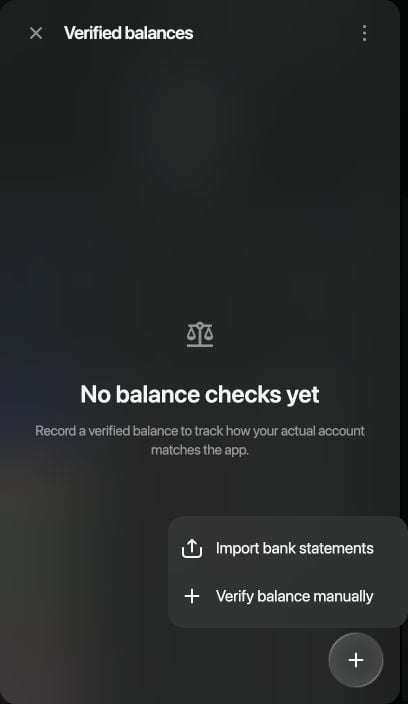
In Verified balances, select +, then Verify balance manually.
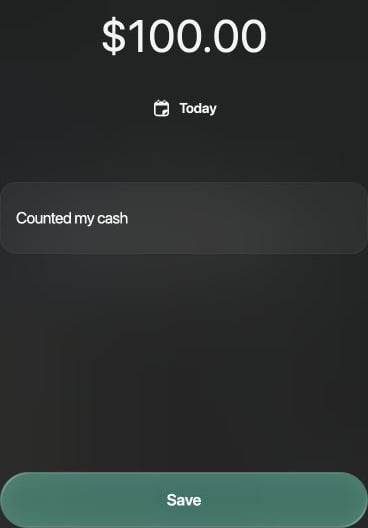
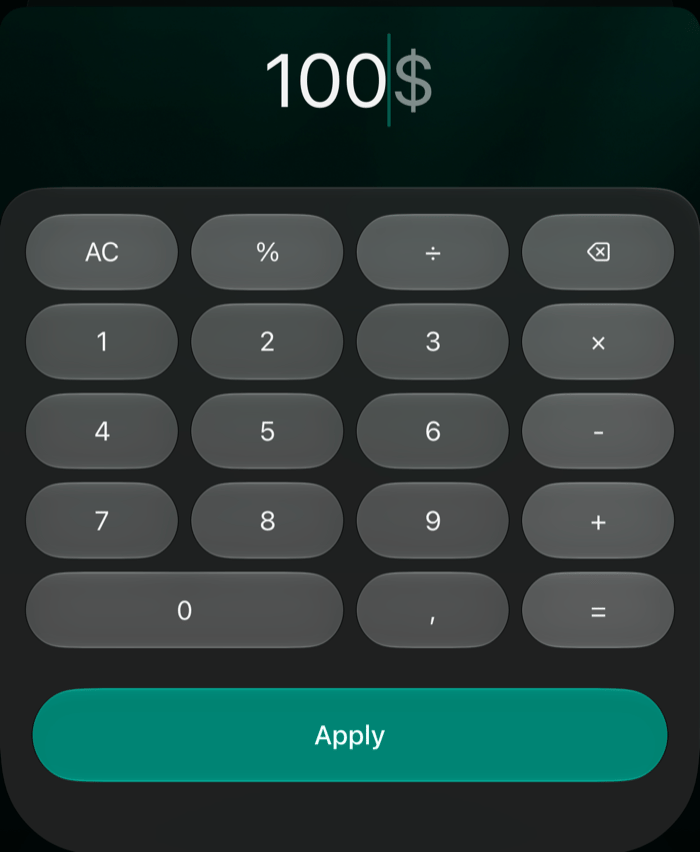
The form starts with the account’s current balance and today’s date. Select the amount, enter the full balance, then select outside the calculator to apply it.
To use another day, select the date. In Add notes, enter an optional note, such as “Counted my cash.”
Select Save.
Select Verify balance manually.
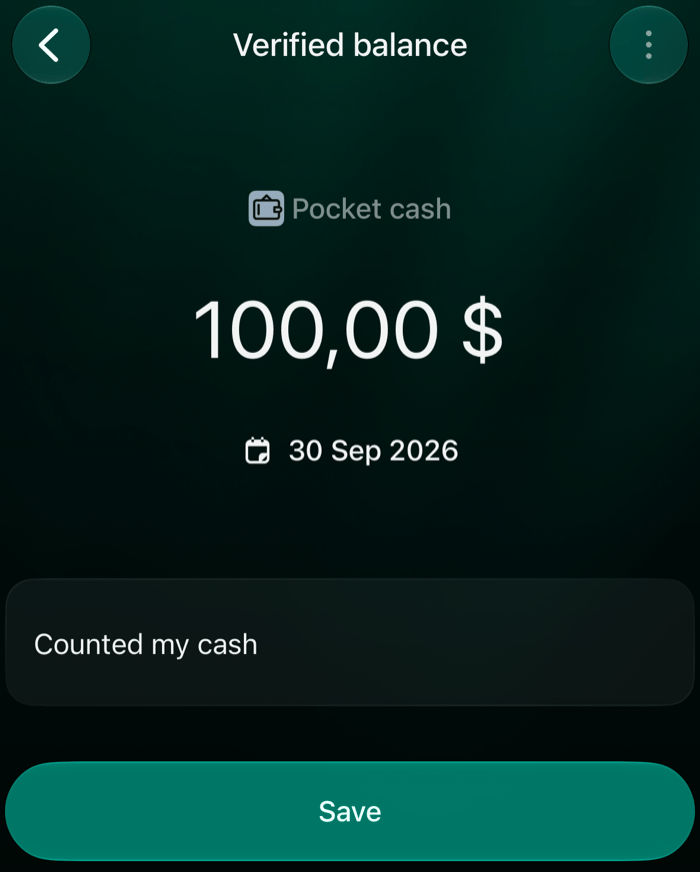
Check the amount, date and note, then select Save.
Open Accounts from More or the tab bar, tap the account, then tap the balance in the currency you checked.
In Verified balances, tap +.
The form starts at 0 with today’s date. Tap the amount, enter the full balance, and tap Done.
To use another day, tap the date. In Add notes, enter an optional note.
Tap Save.
Open Accounts from More or the tab bar, tap the account, then tap the balance in the currency you checked.
Tap Add verified balance.
The form starts with the account’s current balance and today’s date. Tap the amount, enter the full balance, and tap Apply.
To use another day, tap the date. In Add notes, enter an optional note.
Tap Save.
Enter the full balance, then tap Apply.
Check the amount, date and note, then tap Save.
After you select Save, the check appears in Verified balances. If the transactions don’t explain the change since the previous record, finerd adds a Balance correction.
For today, enter the balance right now. For a past date, enter the balance at the end of that day. For a bank account, leave out pending transactions: finerd doesn’t count them when it checks the balance.
Transactions after the check change the balance as usual. Your next check covers the next period.
A bank statement shows the balance your bank confirmed at the end of a period. Record it as a check to see whether the transactions in finerd match the bank’s.
On the statement, find the closing balance and the last day of the period.
If a Balance correction appears, review the discrepancy. Turnovers opens on the Current balance type, which counts transactions by their posted date, as a statement does.
On the web, finerd can read the closing balance from the statement file for you. The mobile apps don’t have this option.
In Verified balances, select +, then Import bank statements.
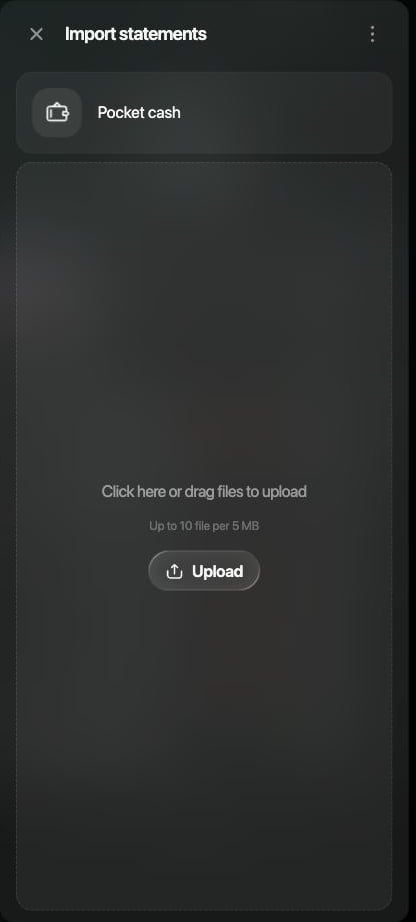
Select Upload or drag the files onto the panel. You can add up to 10 CSV or PDF files, 5 MB in total.
Select Start import.
Add the statement files, then select Start import.
For each statement, finerd adds a verified balance with its closing balance, dated the last day of the statement. Only the balances are imported, not the transactions. If a check already exists for that date, the imported balance replaces it. The new checks appear in Verified balances when the files have been processed; if one doesn’t appear, add it manually.If Import bank statements shows a Pro badge, statement import isn’t included in your plan.
A Balance correction means the transactions don’t add up to your check. It shows how much is off and for which period, but not the cause. To find the cause, open the transactions for that period.
Web
Android
iOS
In Verified balances, open the check with the correction.
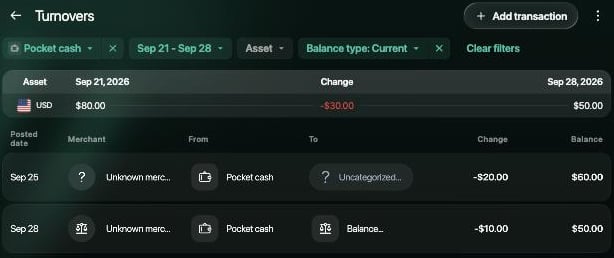
Select Balance correction. Turnovers opens for this account and period.
Turnovers for the period of the correction.
In Verified balances, open the check with the correction.
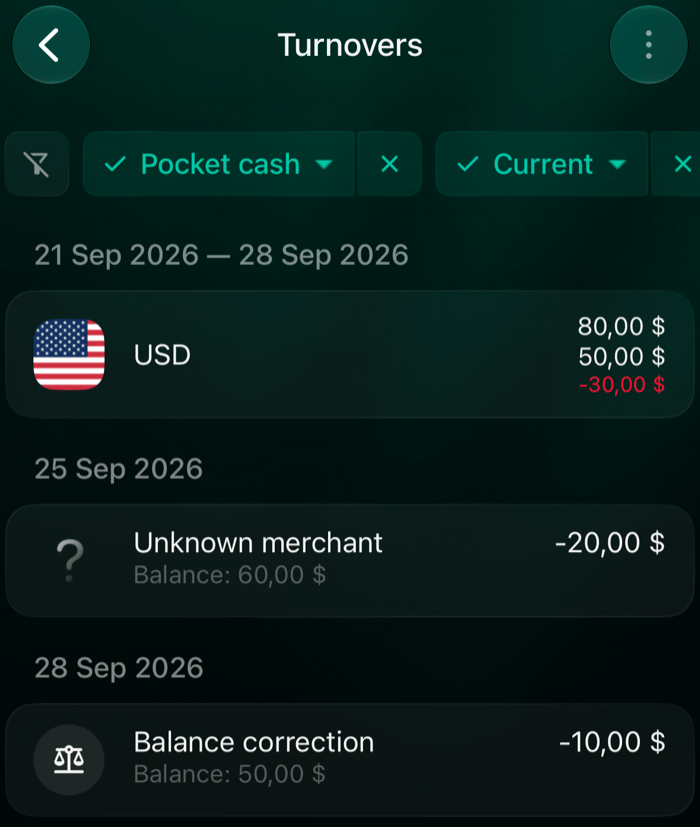
Tap Balance correction. Turnovers opens for this account and period.
In Verified balances, open the check with the correction.
Tap Balance correction. Turnovers opens for this account and period.
Turnovers for the period of the correction.
Turnovers shows the balance at the start and end of the period, the change between them, and each transaction with the balance after it. It opens on the Current balance type: only transactions your bank has settled, by their posted date. The check uses the same basis, so pending transactions aren’t listed.Compare the list with your receipts, notes or bank statement:
Missing transaction. Add it with the date it happened. On the web, Add transaction is at the top of Turnovers.
Extra or duplicate transaction. Remove or fix it.
Wrong amount or date. Edit the transaction. A transaction dated after the check doesn’t count toward it.
Transfer. Check that both sides use the right accounts and amounts.
When you fix a transaction in the period, finerd recalculates the correction: it can shrink, grow or disappear. The amount you confirmed stays the same, and you can’t edit the correction itself. A change before your first check updates the initial balance instead.
You confirmed 80 USD at your first check. Over the next week, you recorded 20 USD in expenses and no money coming in.
What you’re checking
Amount
Previous verified balance
80 USD
Recorded spending for the week
−20 USD
Expected balance from transactions
60 USD
Cash you counted and entered as the new verified balance
50 USD
finerd creates a Balance correction of −10 USD: between the two checks, your balance fell by 10 USD more than your recorded spending explains.If you find and add the missing 10 USD expense for that week, the correction disappears. The amounts now match: 80 − 20 − 10 = 50 USD.
The more often you check, the shorter the period you need to review.
If you entered the wrong amount or date, correct the check. You can change or delete only the checks you entered, including a starting balance saved when you created the account. Initial balance and Current balance records can’t be changed.
Web
Android
iOS
In Verified balances, select the check.
To correct it, change the amount, date or note, then select Save.
To delete it, select ⋮ > Delete, then confirm with Delete.
Delete is in the ⋮ menu of the check.
In Verified balances, tap the check.
To correct it, change the amount, date or note, then tap Save.
To delete it, tap ⋮ > Delete and confirm. You can also touch and hold the check in the list, then tap Delete.
In Verified balances, tap the check.
To correct it, change the amount, date or note, then tap Save.
To delete it, tap ⋮ > Delete, then tap OK.
Delete is in the ⋮ menu of the check.
After you save or delete a check, finerd recalculates the corrections that depend on it. A deleted check no longer counts as a checkpoint, so transactions are checked against the records before and after it. If you delete your first check, finerd recalculates the initial balance from the next record. If it was the account’s only check, the initial balance is removed too, and the account balance then comes from its transactions alone. A deleted check can’t be restored; add it again if you need it.finerd calculates the Initial balance and Balance correction automatically. To change them, correct the check or the transaction that’s wrong.If you’re setting up a cash account first, see Track cash in finerd.