
Choose what to do
Deleting the finerd app from your phone doesn’t delete your account or your data, and it doesn’t cancel an App Store or Google Play subscription.
Before you delete
Check these before you start. A business space or an open group debt stops the deletion at the first step; the export and an App Store subscription are up to you.- Export your data. Request an export and save the ZIP file from the email, as described in Export your data from finerd. The delete and clear screens ask you to tick a box confirming that you have your backup.
- Business spaces block account deletion. You can’t delete your account while you’re a member of any business space, including one someone else owns. Delete each business space you own as described in Delete a business space. Leave the others on the web if you’re an admin there; in any other role, ask an owner or admin to remove you. Until you do, the web and iOS show Remove your business spaces or get kicked. Once you’re out, you can delete your account, and Android shows Cannot delete personal space while user has business spaces.
- Other members block deleting or clearing a business space. A business space can be deleted or cleared only when you’re its only member. Remove the others first, as described in Remove someone’s access.
- Open group debts block account deletion. If you still owe money in a settle-up group, or someone in it owes you, settle up first. finerd shows You still owe or are owed money in a group. Settle up before deleting your account.
- Cancel an App Store subscription yourself. When you delete a space, finerd cancels its subscription if you paid on the web by card or through Google Play. Apple doesn’t let apps cancel subscriptions, so a subscription bought in the App Store keeps renewing until you cancel it in your iPhone’s Settings → your name → Subscriptions. See Cancel your subscription.
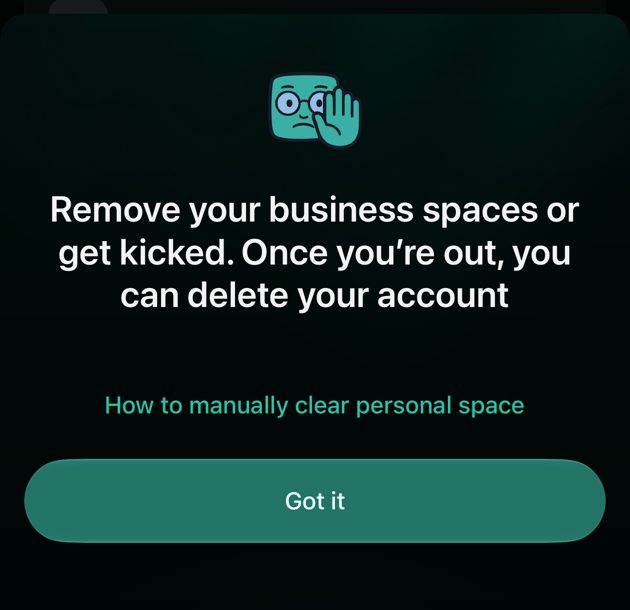
The message on iOS when you're still in a business space.
Delete your finerd account
Your finerd account is deleted together with your Personal space. Switch to your Personal space first: in a business space, the same place offers Delete space instead.- Web
- Android
- iOS
- Select your profile at the bottom of the sidebar, then the settings icon next to your Personal space.
- Scroll to the bottom and select Delete account. It’s below Preferences, not in Data.
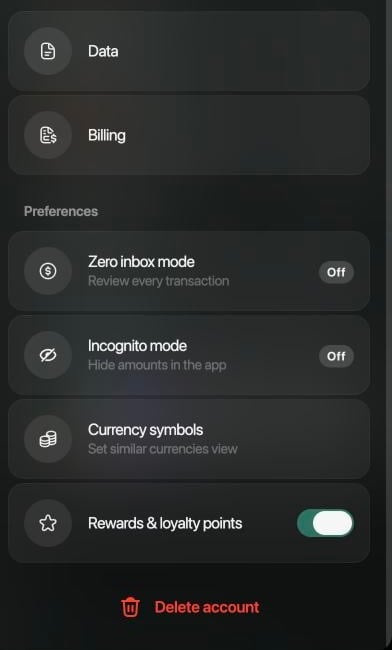
Delete account at the bottom of the Personal space settings on the web.
- Choose why you’re leaving. For It’s missing features I need, It doesn’t work with my bank and Other, also write a few words.
- Tick I’ve exported my data and downloaded the backup from my email. If you haven’t yet, select Export your data in the reminder above it.
- Select Delete.
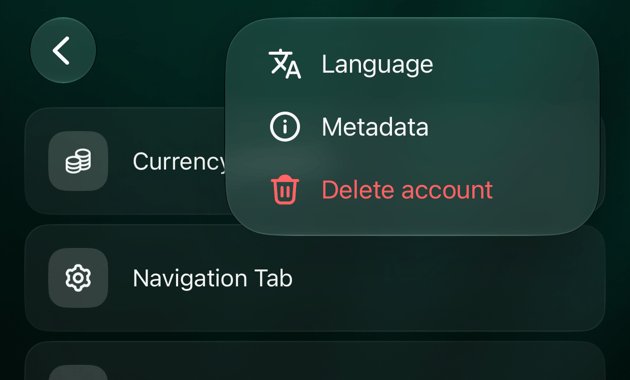
Delete a business space
You can delete a business space if you’re its owner and its only member. Your finerd account and your Personal space stay.- Web
- Android
- iOS
- Switch to the business space. Select your profile at the bottom of the sidebar, then the settings icon next to the space.
- Scroll to the bottom and select Delete space.
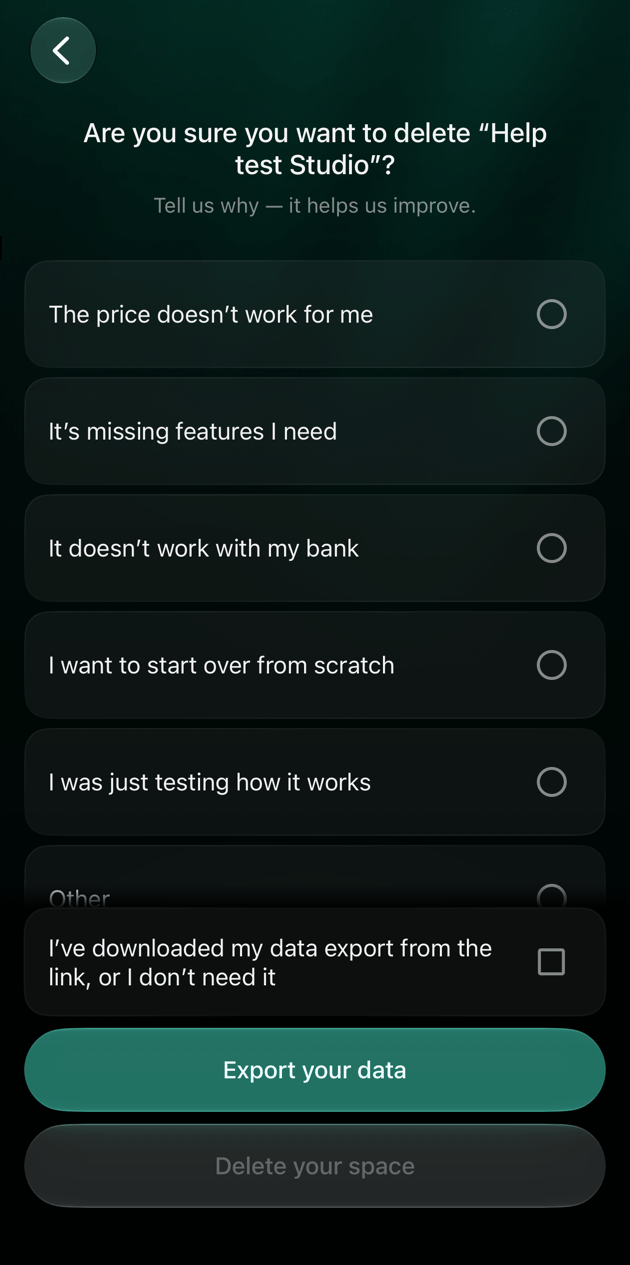
- Choose a reason, tick I’ve exported my data and downloaded the backup from my email and select Delete.
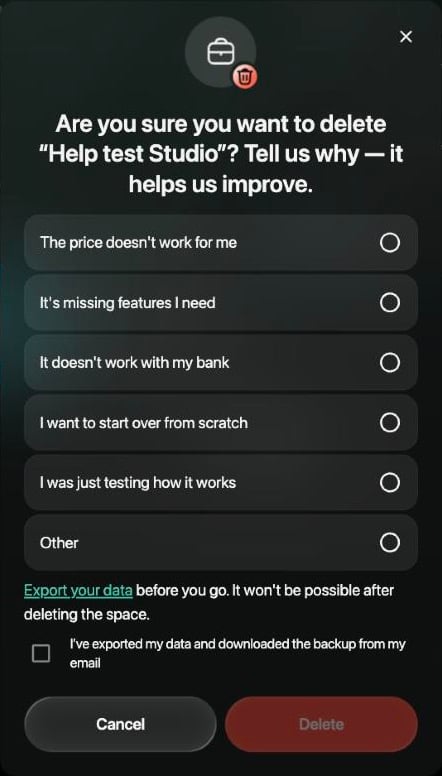
Deleting a business space on the web. Delete stays inactive until you pick a reason and tick the box.
Clear data and start over
Clear data empties a space without deleting your account. Use it when you want to set a space up again from the beginning, for example after trying finerd with test data, or to choose a different primary currency, which can’t be changed otherwise. Clearing permanently removes the space’s accounts, transactions, categories you added, merchants, tags, budgets, recurring payments, receipts, debts and bank connections. It keeps your finerd account, the space’s name and picture, and its subscription or trial. A Personal space can be cleared even while you’re in business spaces; a business space only when you’re its only member.- Web
- Android
- iOS
- Select your profile at the bottom of the sidebar, then the settings icon next to the space.
- Select Data, then Clear data.
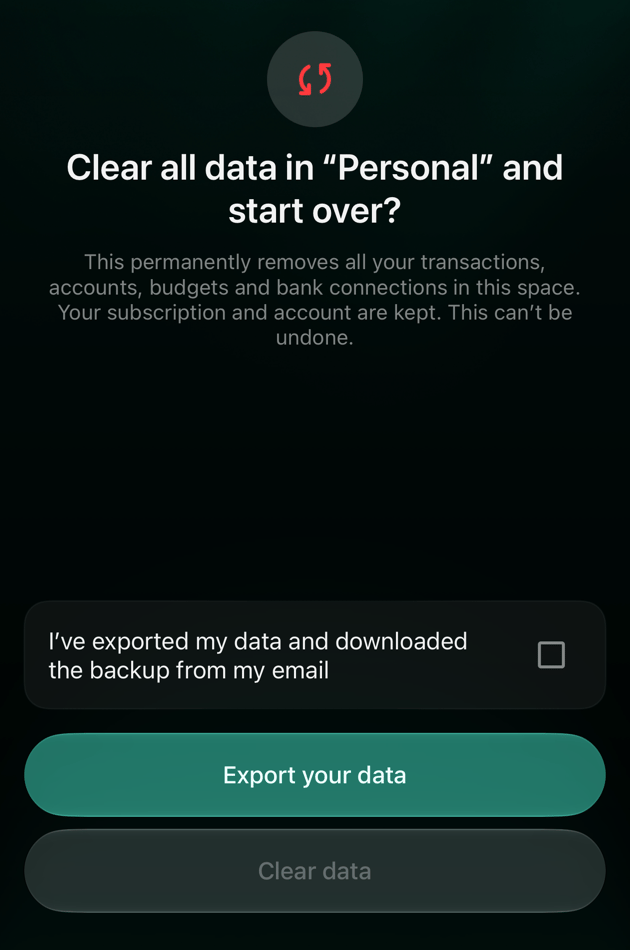
- Tick I’ve exported my data and downloaded the backup from my email. If you haven’t exported yet, use the Export your data link above it.
- Select Clear data.
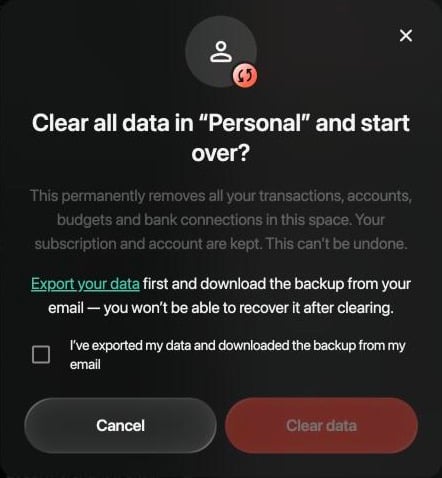
Clear data on the web. The button stays inactive until you tick the box.
What happens after deletion
Deleting a space, or clearing it, can’t be undone. finerd keeps no copy it could restore, and support can’t bring the data back.- Banks: finerd disconnects the space’s bank connections, including the access it had at your bank’s connection provider.
- Family: deleting or clearing your Personal space ends family accounting. For your partner it’s the same as if you’d left: they keep the family transactions they have, your partner account is archived in their space and joint accounts become ordinary accounts. If your Pro covered the family, your partner’s space returns to Free.
- Debts and shared transactions: people you shared debts or transactions with keep their own records; the link to your space is removed.
- CheckPies you created are deleted. Other people in them keep the amounts already recorded in their own finerd.
- Subscription: deleting cancels a subscription paid on the web by card or through Google Play; an App Store subscription you cancel yourself (see Before you delete). Clearing keeps the subscription.
- Demo spaces you opened are deleted together with your account.