
How finerd records a loan
A loan account holds one number: what you still owe, with a minus sign. A mortgage with 180,000 USD left to pay has a balance of −180,000 USD. When you pay 290 USD off it, the balance becomes −179,710 USD. The sign matters. finerd doesn’t turn a loan amount negative for you: if you enter 180,000 without the minus, finerd treats it as money you own, shows it among your assets and adds it to your net worth. See If the loan shows as an asset. finerd doesn’t know your interest rate, term or payment schedule, and it doesn’t add interest to the balance. The balance changes only through the repayments and checks you record. To keep it in line with your lender, compare it with your loan statement from time to time; see Record a repayment. Loans can’t be connected to finerd. If your bank connection includes a loan, it arrives under Bank accounts with a negative balance, and a connected account can’t change its type.Add a loan or mortgage
In the example, a mortgage is tracked as Maple Street mortgage with 180,000 USD left to pay.- Web
- Android
- iOS
- Open Accounts, select Add account, then Loans & Mortgage.
- Enter a name, such as Maple Street mortgage, then select Continue.
- On Set current balance, type a minus first, then the amount you owe: -180000. You can use the − key on the calculator or on your keyboard.
- Check the currency and select Continue.
- Select Save.
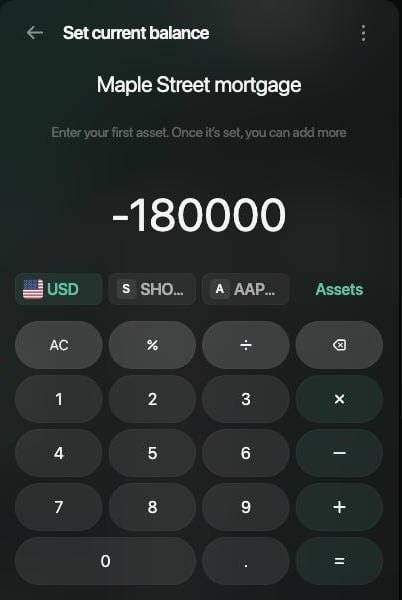
Enter the amount you owe with a minus sign.
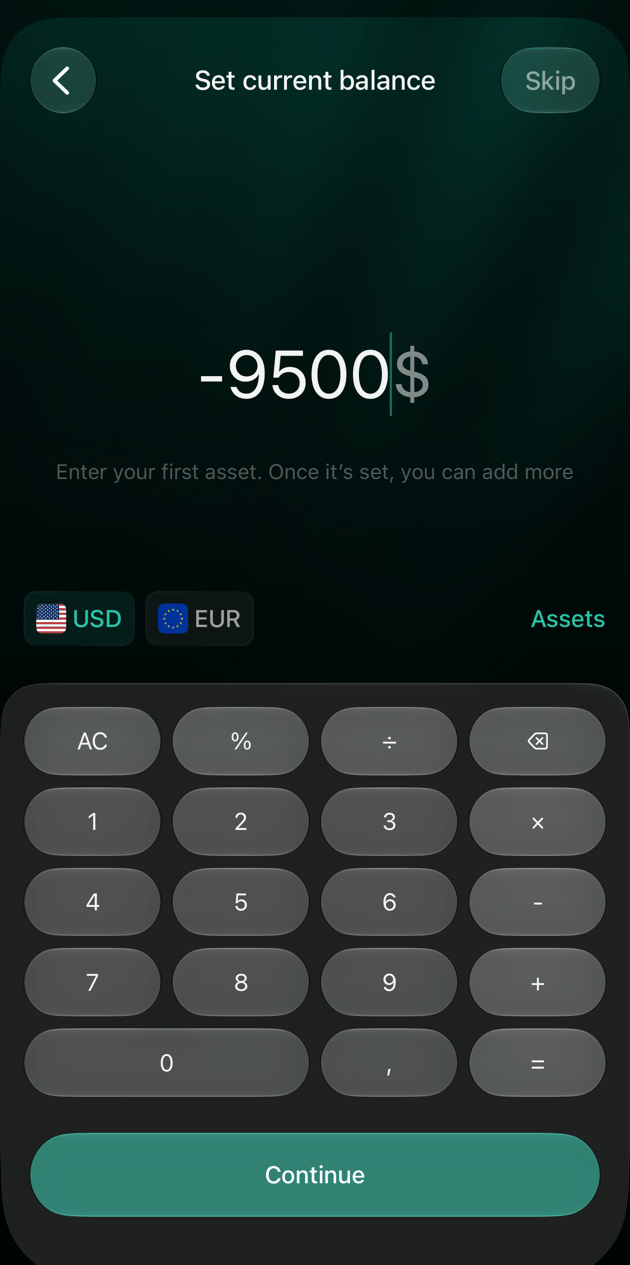
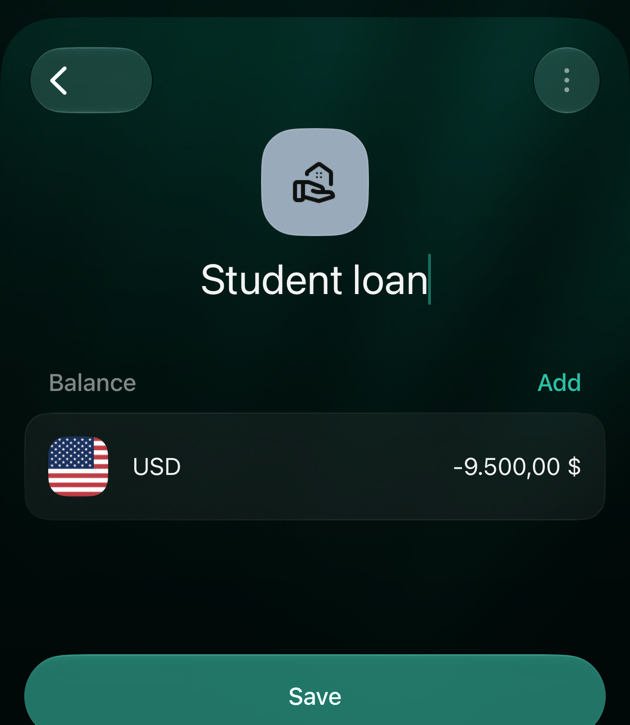
If the loan shows as an asset
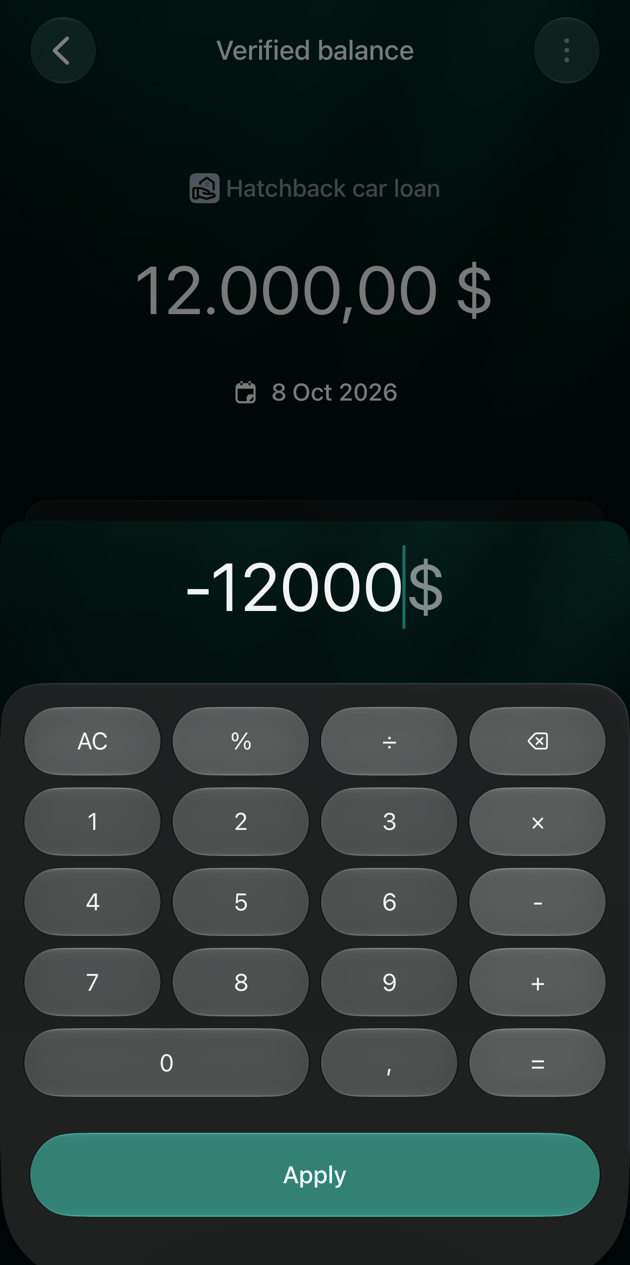
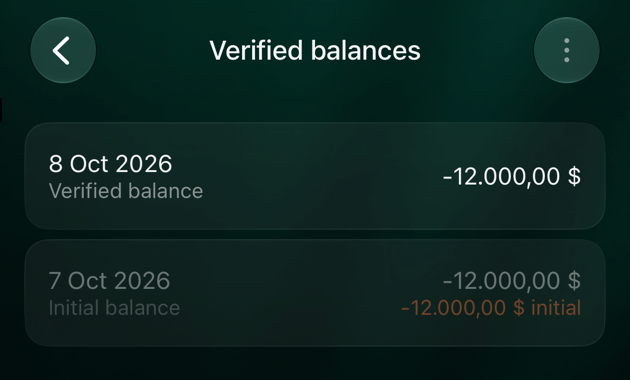
If you entered the amount without a minus, the loan counts as something you own. On the web, it shows in the Assets column of Accounts instead of Liabilities; on Android and iOS, the balance has no minus sign. Correct the amount you entered when you added the loan. In the example, Hatchback car loan was added with 12,000 instead of −12,000.- Web
- Android
- iOS
- Open Accounts, select the loan, then select its balance, such as USD.
- In Verified balances, select the check from the day you added the loan.
- Select the amount, enter it with a minus, such as -12000, then select outside the calculator to apply it.
- Select Save.
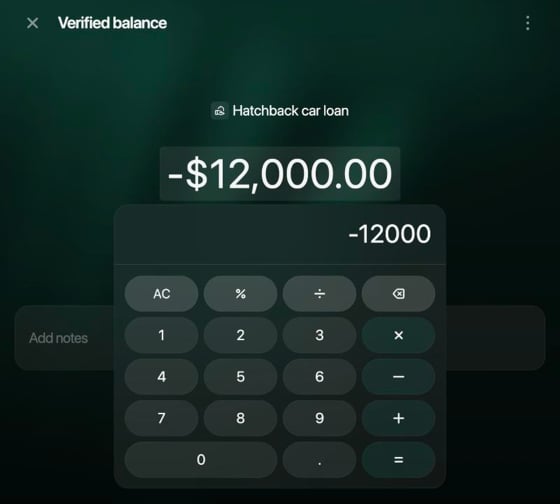
Enter the amount again with a minus.
Record a repayment
Record a loan payment as a transfer from the account you paid from to the loan account. The money leaves your bank account and the debt goes down by the same amount. finerd lists the payment as Unknown merchant, not Internal transfer, and doesn’t count it as spending. A payment to your lender usually covers interest too. Interest is a cost, so if you want it in your expenses, split it off: the interest part goes to an expense category, and only the rest reduces the loan. Your lender’s statement shows how a payment is divided. In the example, a car loan payment of 350 USD from Pine checking covers 290 USD of the loan and 60 USD of interest.- Add a transfer: Add transaction on the web, + on Android and iOS, then Internal transfer or ATM.
- As the account the money left, choose the account you paid from, such as Pine checking, and enter the whole payment, 350.
- As the account the money went to, choose the loan. Loan accounts are listed under Loans & Mortgage.
- Check the amount received and continue. finerd opens the transaction.
- To record the interest, select Split next to To, choose an expense category, such as Bank fees, and enter the interest, 60. The loan line keeps the rest, 290 USD.
- Select Save.
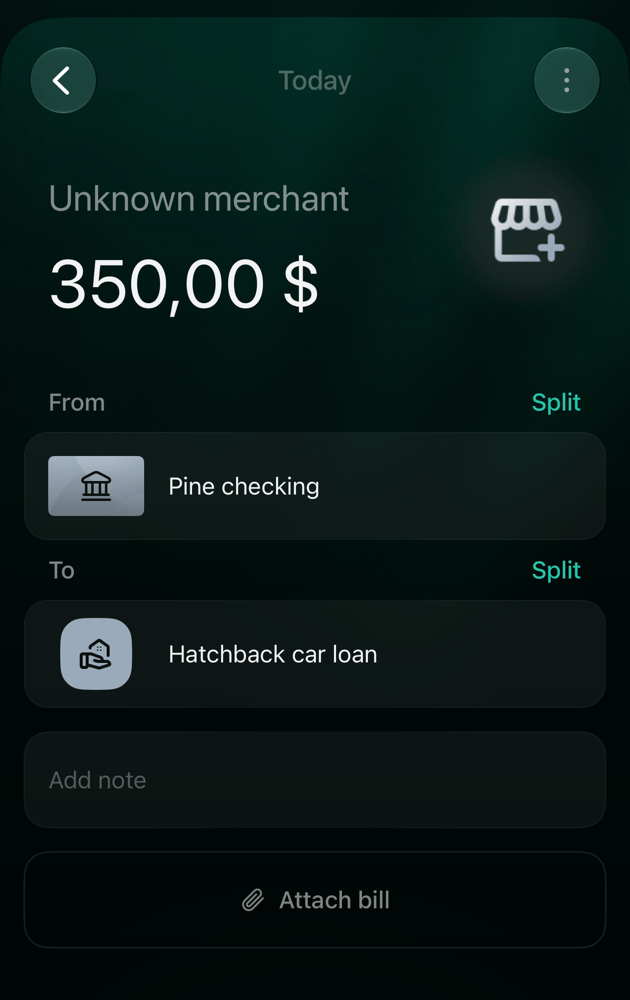
A repayment is a transfer from your account to the loan.
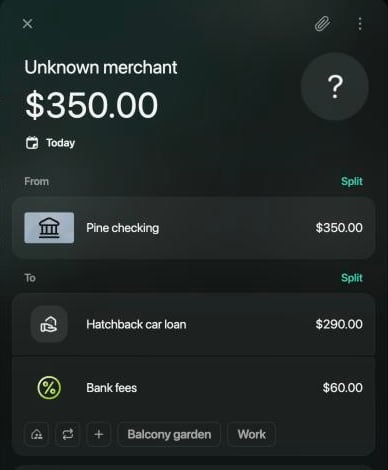
The interest part goes to an expense category.
Where the loan shows up
Accounts lists your loans under Loans & Mortgage. On the web, the amount owed is in the Liabilities column, without a minus; the loan’s own page shows the balance with a minus. On Android and iOS, the list shows the balance with a minus.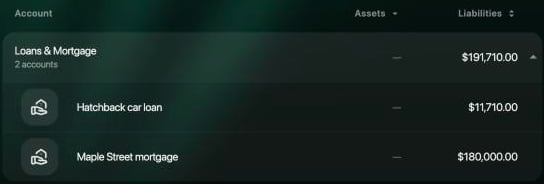
On the web, loans you owe are in the Liabilities column.
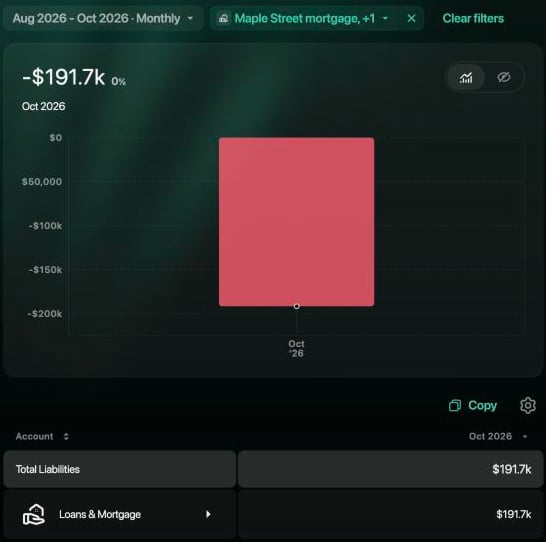
Net Worth counts what you owe under Total Liabilities.