Add a loyalty account, set a point value, and record earned or redeemed rewards, including purchases paid partly in cash.
A Rewards account tracks the points you hold in a loyalty program. Record points earned, bought, spent, or exchanged for money, and choose a value per point to see their monetary equivalent.Rewards are a Pro feature in Personal spaces on Web and iOS. Reward account creation and the dedicated reward transaction flow are not available on Android.
Start with the program’s current points balance. The point quantity and its monetary value are separate: changing the valuation does not add more points.
Web
Android
iOS
Open Accounts, select Add account, then Rewards.
In Who’s giving the perks?, choose the company that runs the loyalty program. If a points picker opens, select the program’s points.
Enter the points you currently hold, such as 1,000 ALL pts for Accor.
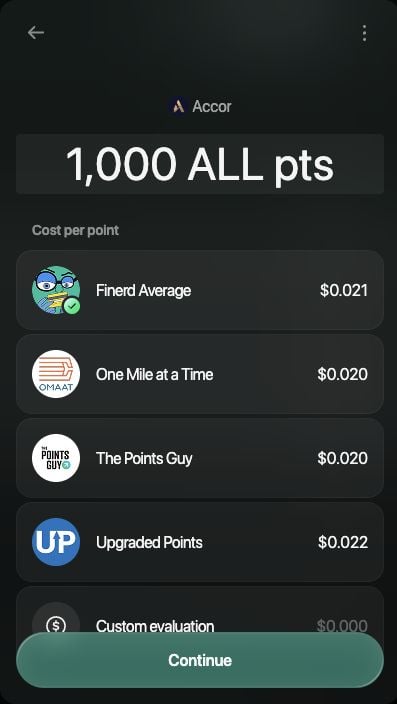
Under Cost per point, choose a valuation provider. To enter your own value, select Custom evaluation, enter a positive value in the currency shown, and apply it.
Select Continue, check the balance, then Save.
Enter the point balance and choose how finerd values each point.
If Rewards is missing, open your space settings and check Rewards & loyalty points. Rewards are not offered in a Business space.
Add and manage rewards on the web or in the iOS app. Android does not offer Rewards in Add account or Reward in the transaction type chooser.
Open More → Accounts, tap +, then Rewards.
In Who’s giving the perks?, select the company. Choose the program’s points if another picker opens.
Enter the current points balance, such as 1,000 ALL pts for Accor, and choose a provider under Cost per point. Scroll the provider list to find Custom evaluation if you want to enter your own value.
Tap Continue, check the balance, then Save.
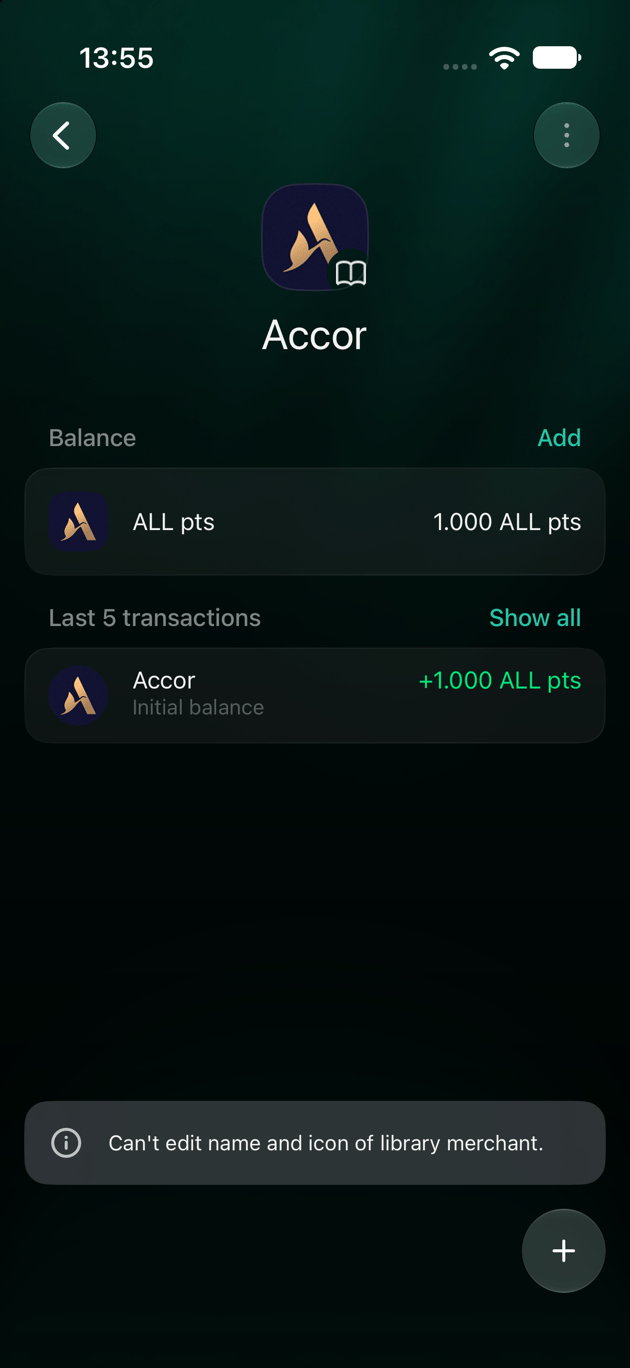
The saved account keeps its balance in the program's points.
If Rewards is missing, open More, tap the space icon, then open Appearance and turn on Show reward accounts and reports. The iOS visibility setting is separate from the web setting.
The account appears under Rewards. Library programs retain their library name and icon. Adding the account records a starting balance; it does not connect to the loyalty provider or redeem points there.
Open Transactions → Add transaction → Reward. Select the operation you want to record.
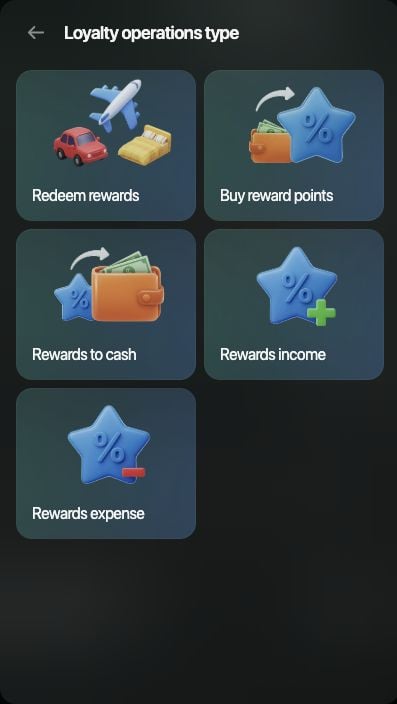
Choose the operation that matches what happened to your points.
Use Web or iOS for these loyalty operations.
Open Transactions, tap +, then Reward. Select the operation you want to record.
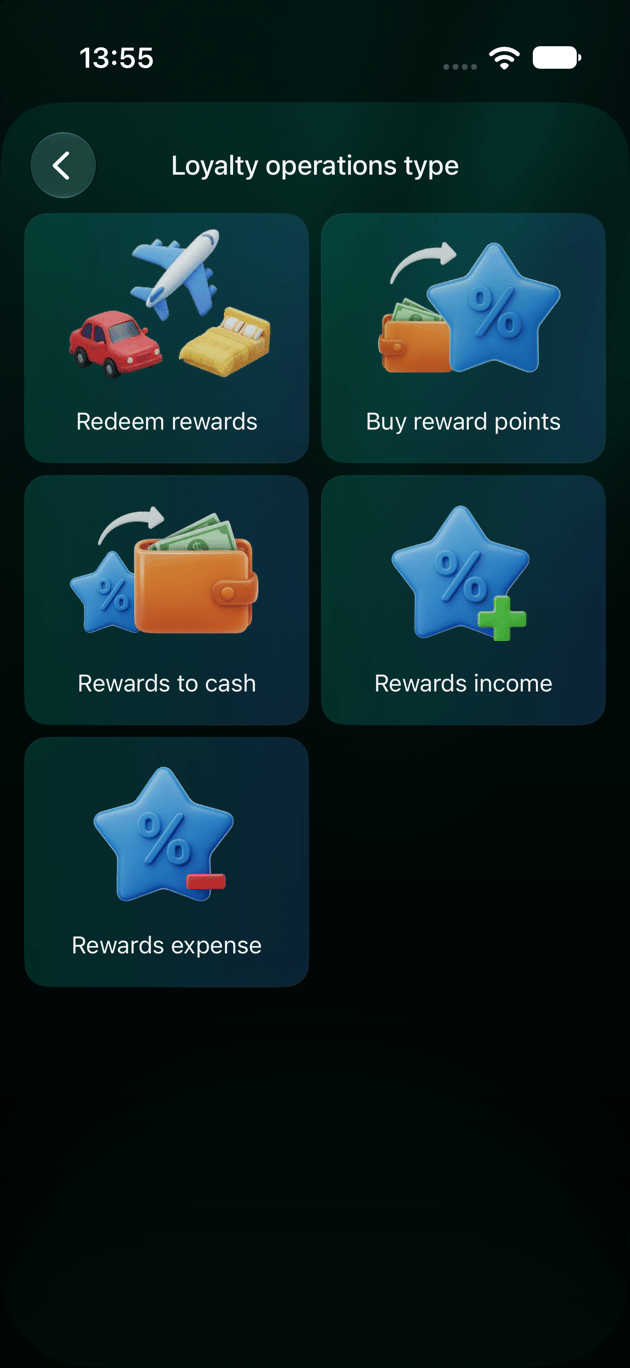
The iOS flow offers the same five loyalty operations.
Operation
What to enter
Rewards income
The reward account, points earned, and reward category.
Rewards expense
The reward account, points removed, and reward category.
Buy reward points
The reward account and points bought, followed by the bank or cash account used and the money paid.
Rewards to cash
The reward account and points exchanged, followed by the bank or cash account receiving the money and the amount received.
Redeem rewards
The reward account and points used, any cash contribution, and what the purchase would have cost in cash.
For Redeem rewards, answer Did you add any cash?. Choose Yes to select the account used for the contribution and enter its amount. Choose No for a points-only purchase. Then enter the purchase’s cash equivalent at How much would you pay in cash?, in the space’s primary currency.Review the resulting transaction, choose the expense category when needed, check the date, and select Save. The points balance changes with the recorded operation. For example, redeeming 100 points from a 1,000-point balance leaves 900 points.
Loyalty Points Flow groups point inflows and outflows. Check the displayed currency: the report shows monetary values, not just raw point counts.
Loyalty Points Game compares the recorded value received from rewards with related monetary costs.
Choose the period you want to review. These reports depend on the operations and values you record; they do not verify a loyalty program’s statement for you.