
Free and Pro
A subscription belongs to a space, not to you as a person. If you have a Personal space and a Business space, each has its own plan, and paying for one doesn’t unlock the other.
A feature that needs Pro shows a Pro badge. Selecting it opens the plan comparison with the subscribe button.
Pro is billed monthly and renews automatically until you cancel. The app shows the price in your currency before you pay; App Store and Google Play prices depend on your store country.
A Business space has no free plan: its accounts, transactions and reports need a paid subscription. See Business spaces and extra members.
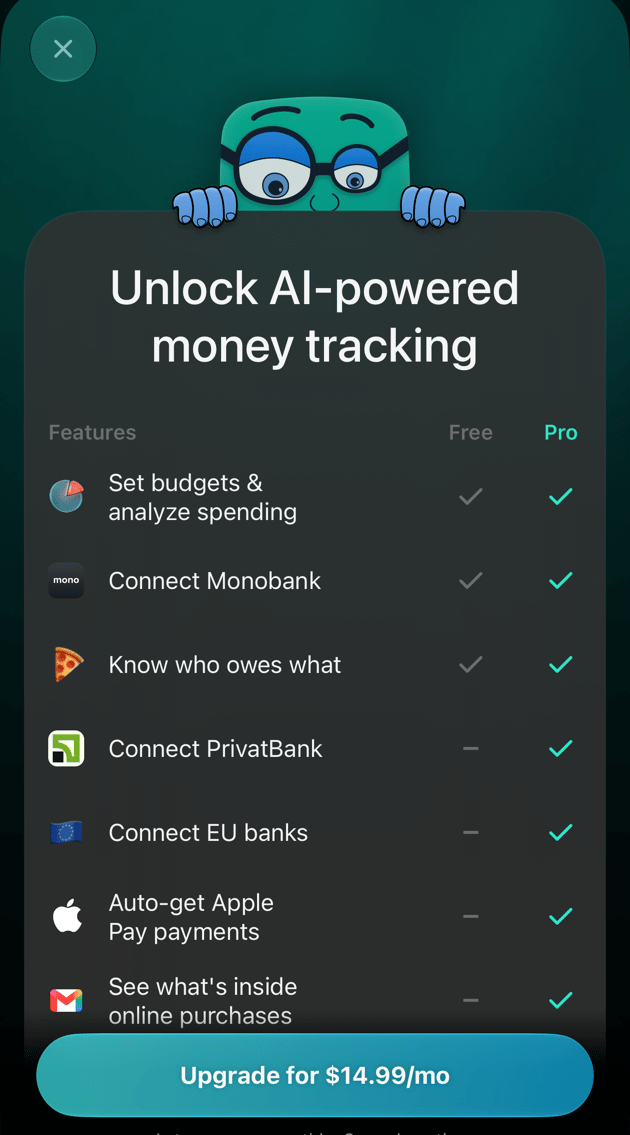
The plan comparison on iOS: Free and Pro.
Free trial
Your Personal space gets a 34-day Pro trial when you finish the first setup and choose your primary currency. A new Business space starts its trial when you create it; there, the trial covers only the owner. Each space gets one trial.- No card is needed. The trial isn’t connected to Stripe, the App Store or Google Play, so nothing is charged when it ends.
- The days left appear at the top of the space menu on the web and at the top of More on Android and iOS: Pro · 12 free days left. On the web, Billing shows the Trial badge and the Trial ends date.
- A reminder email arrives 3 days before the trial ends.
- When it ends, the space returns to Free unless you subscribe. Your data stays; see When Pro ends.
Subscribe to Pro
The subscription is attached to the space that’s open when you pay. If you have more than one space, switch to the one you want to upgrade first.- Web
- Android
- iOS
- Select your profile at the bottom of the sidebar, then the settings icon next to your space.
- Select Billing.
- Select Subscribe. During the trial the button is under Trial ends; after it, select any Pro badge and then Upgrade for in the plan comparison.
- finerd opens a secure Stripe checkout page with the monthly price. Enter your card details there and confirm.
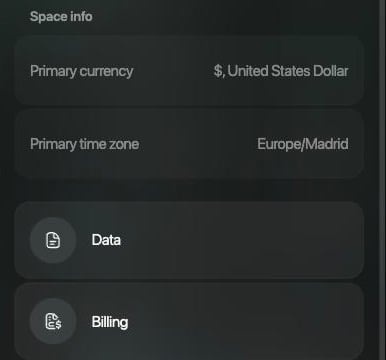
Space settings on the web: Billing is under Space info.
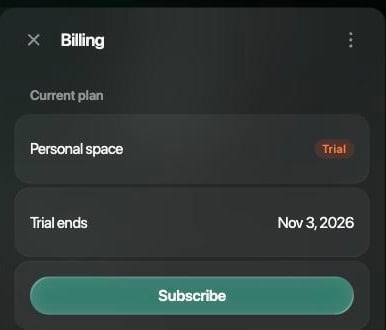
Billing during the free trial: Trial, Trial ends and Subscribe.
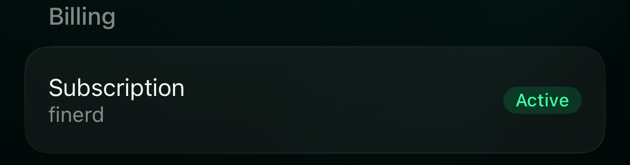
Check your subscription
The subscription screen shows where the space’s Pro comes from and whether it’s active.- Web
- Android
- iOS
Open Billing in the space settings. Under Current plan you see the space type and a status: Trial, Active, Canceled or Inactive. A web subscription also shows Next payment and Payment method. A subscription bought on a phone says Subscribed through Apple or Subscribed through Google Play.For a card subscription, Manage next to Current plan opens your Stripe billing page, where you change the card or cancel. You can also enter a discount under Promo code and select Apply; promo codes work only for subscriptions paid on the web.
Cancel your subscription
Cancel in the same place you subscribed. Deleting the finerd app doesn’t cancel an App Store or Google Play subscription.
After you cancel, Pro stays until the end of the period you’ve paid for. On the web, Billing marks the plan Canceled and says until which date you have access. Then the space returns to Free.
A free trial doesn’t need cancelling: it ends by itself.
Family subscription
When you have Pro in your Personal space and invite a partner to family accounting, your partner’s Personal space gets Pro too, for free, for as long as yours lasts. Only the person who invites pays. Your partner sees where their Pro comes from:- Web: Billing shows Family subscription, Shared by your partner and the Active until date.
- iOS: Subscription reads Family plan.
- Android: Subscription reads Family access.
Business spaces and extra members
A Business space has its own subscription, separate from your Personal space. It includes one seat for the owner; each extra member who should see the space’s data needs a paid seat. You pay for a Business space and its seats on the web. Android can’t take payment for a Business space and asks you to activate it on app.finerd.ai. In a Business space, Billing is available to the Owner and Admins. To add or remove paid seats on the web:- Open the space settings and select Space members.
- Select Manage paid seats. With only the owner’s seat, select Invite member instead.
- Change the number of seats with − and +. The window shows the price per additional seat, Today’s charge (prorated) and the new monthly total.
- Select Confirm & pay to add seats, or Confirm to reduce them.
When Pro ends
Pro ends when you cancel and the paid period is over, when a renewal payment fails for good, or when the trial ends without a subscription. In a Personal space, finerd returns to Free:- Your accounts, transactions and reports stay. Free features keep working; Pro features show the Pro badge again.
- Connected banks, except Monobank, are disconnected 7 days later. finerd sends a notification when Pro ends and another when the banks are disconnected.
- If you invited a partner, the family ends 7 days later.