To track property in finerd, add a Property account for each thing you own, such as a flat or a car, and enter what it’s worth. finerd counts that value among your assets in Accounts and Net Worth, and you update it whenever the value changes. Property accounts are free on the web, Android and iOS. finerd doesn’t appraise property: a value stays as you entered it until you change it.

Kinds of property

When you add property, you choose its kind. Each kind has its own icon, and Net Worth shows each kind as a separate line. A property account holds a value in a currency, such as 250,000 USD. You track it yourself: property can’t be connected to a bank. Add one account per thing you want to follow, or one for a group of things, such as all your furniture.

Add property

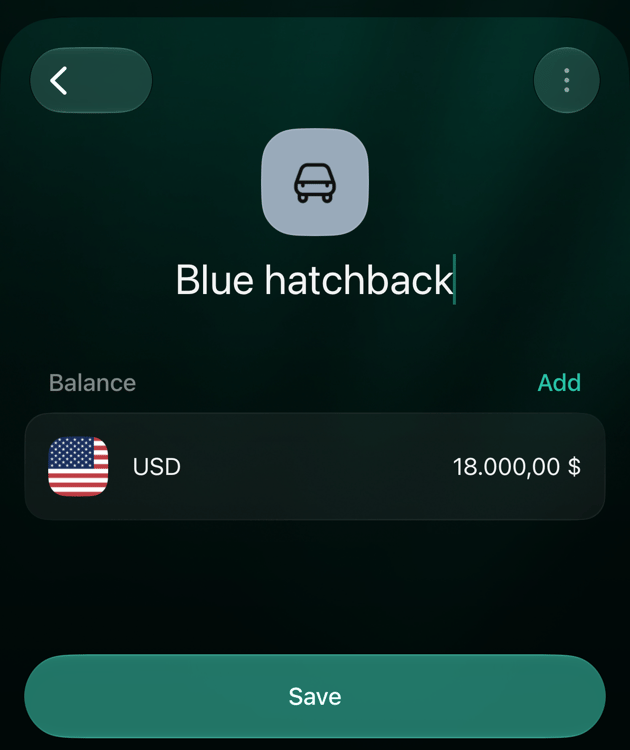
In the example, a flat is tracked as Riverside flat with a value of 250,000 USD, and a car as Blue hatchback with 18,000 USD.
  1. Open Accounts, select Add account, then Property.
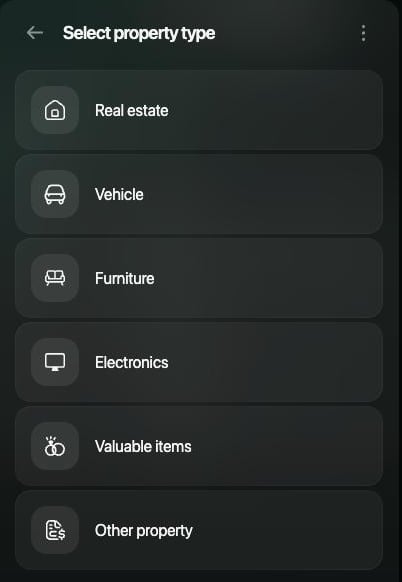
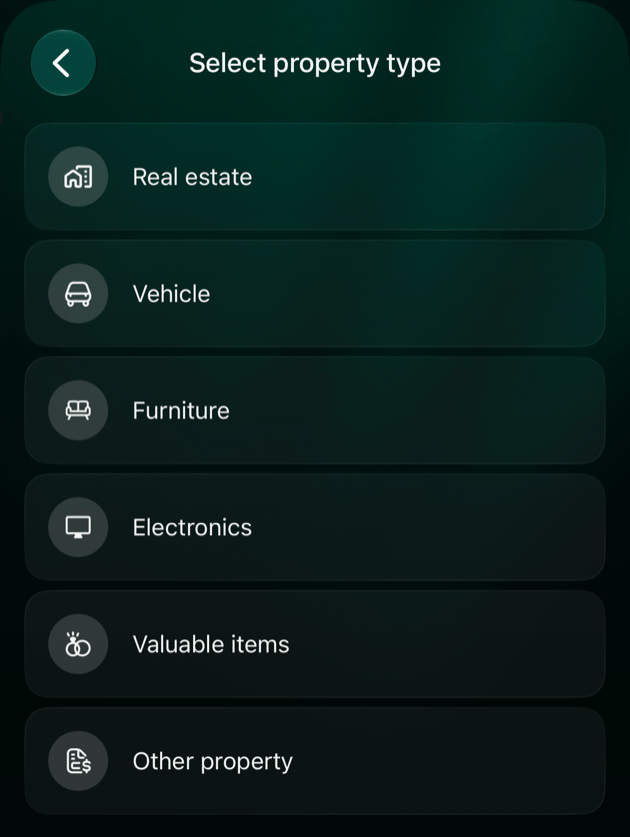
  2. On Select property type, choose the kind, such as Real estate.
  3. Enter a name, such as Riverside flat, then select Continue.
  4. On Set current balance, enter the value, such as 250000, check the currency and select Continue.
  5. Select Save.
Select property type panel with Real estate, Vehicle, Furniture, Electronics, Valuable items and Other property.

Choose the kind of property.

finerd records the value as the account’s Initial balance. If you’re buying the property now and want to record the payment, skip the value: select Skip on Set current balance, then record the purchase as described in Record a purchase or sale. If you chose the wrong kind, open the account and change it with ⋮ > Change account type. The list includes the other kinds of property. See Change the account type.

Update the value

Homes and cars change in value, so update the amount when you get a new estimate, such as a valuation, a dealer’s quote or prices of similar homes. Enter the new full value as a verified balance, not the change. In the example, the car was worth 18,000 USD in March, and a dealer now quotes 16,500 USD.
  1. Open Accounts, select the property, then select its balance, such as USD.
  2. In Verified balances, select +, then Verify balance manually.
  3. Select the amount, enter the new value, such as 16500, then select outside the calculator to apply it.
  4. To use the date of the estimate, select the date. In Add notes, enter an optional note, such as “Dealer trade-in quote.”
  5. Select Save.
Verified balance for Blue hatchback: $16,500.00, Today, the note Dealer trade-in quote.

Enter the new value, then select Save.
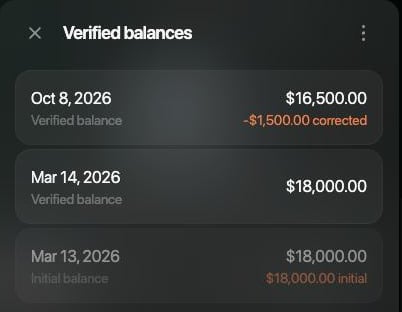
Verified balances for Blue hatchback: Oct 8, 2026 $16,500.00 with −$1,500.00 corrected; Mar 14, 2026 $18,000.00; Mar 13, 2026 initial balance $18,000.00.

The difference becomes a balance correction.
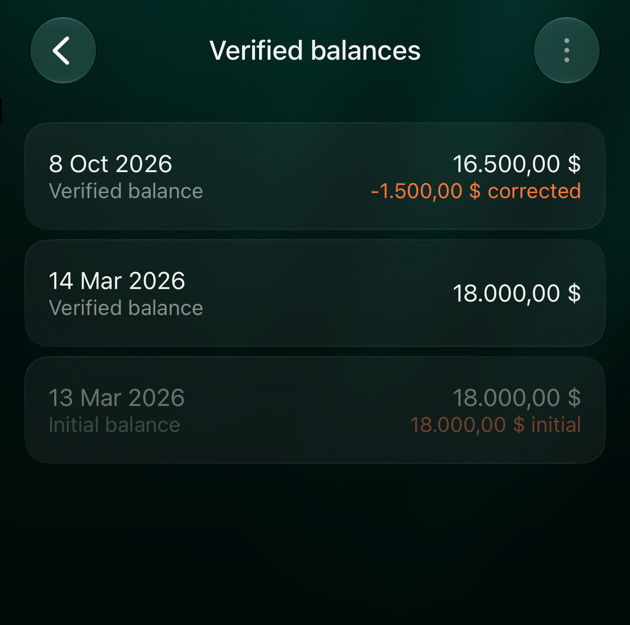
finerd records the difference as a Balance correction, here −1,500 USD, dated to the new value. This needs an earlier value: the one you entered when you added the property, or an earlier verified balance. Without one, finerd puts the difference into the initial balance and changes the property’s past value; to avoid this after a purchase, see Record a purchase or sale. A balance correction isn’t spending or income: it doesn’t appear in the Expenses, Income or Cash Flow reports. It changes only the value of the property and your net worth.

Record a purchase or sale

When you pay for property from one of your accounts, record the payment as a transfer from that account to the property account. Your money goes down and the property’s value goes up by the same amount, so your net worth doesn’t change. The payment isn’t counted as spending. In the example, a dining table is tracked as Oak dining table (Furniture), added without a value, and bought for 1,200 USD from Main checking.
  1. Add the property account without a value: select Skip on Set current balance. On Android, leave the balance at 0 and tap Save. If you enter the value and also record the payment, the property counts twice.
  2. Add a transfer: Add transaction on the web, + on Android and iOS, then Internal transfer or ATM.
  3. As the account the money left, choose the account you paid from, such as Main checking, and enter the price.
  4. As the account the money went to, choose the property. Property accounts are listed under their kind, such as Furniture.
  5. Check the amount received and select Save.
  6. Add a verified balance with the price, dated the day of the purchase. Each value you enter later then appears as a Balance correction.
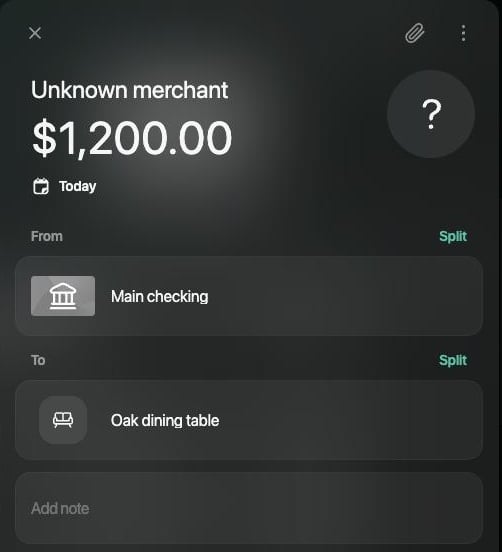
For the full steps on each platform, see Move money between your accounts. On Android, an account connected to a bank isn’t offered as the account the money left.
New transaction of $1,200.00, Today, from Main checking to Oak dining table, titled Unknown merchant.

A purchase is a transfer from your account to the property.

finerd lists the purchase as Unknown merchant, not Internal transfer. If the payment already came from your connected bank as an expense, open it and, in place of the category, choose the property under Transfer To/From. If it isn’t shown, select Show all. When you sell, record a transfer of the price from the property account to the account that received the money. If the price differs from the recorded value, set the property’s value to 0 as described in Update the value: finerd books the difference. Then archive the account to keep its history out of sight. If you took a loan or mortgage for the property, track it as a separate Loans & Mortgage account. finerd doesn’t link a loan to a property, and Net Worth subtracts the loan from your assets.

Where property shows up

Accounts lists your property under Property, with the total value of the group. On the web, each row shows the kind next to the name.
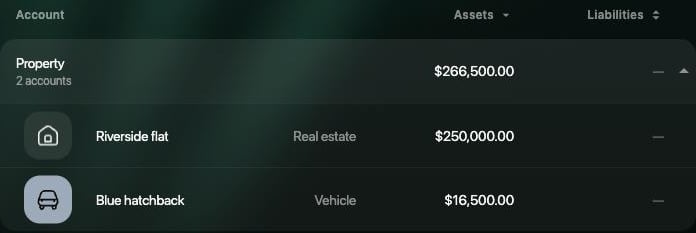
Accounts filtered to two property accounts: Property, 2 accounts, $266,500.00; Riverside flat, Real estate, $250,000.00; Blue hatchback, Vehicle, $16,500.00.

Property accounts in Accounts, with their kinds.
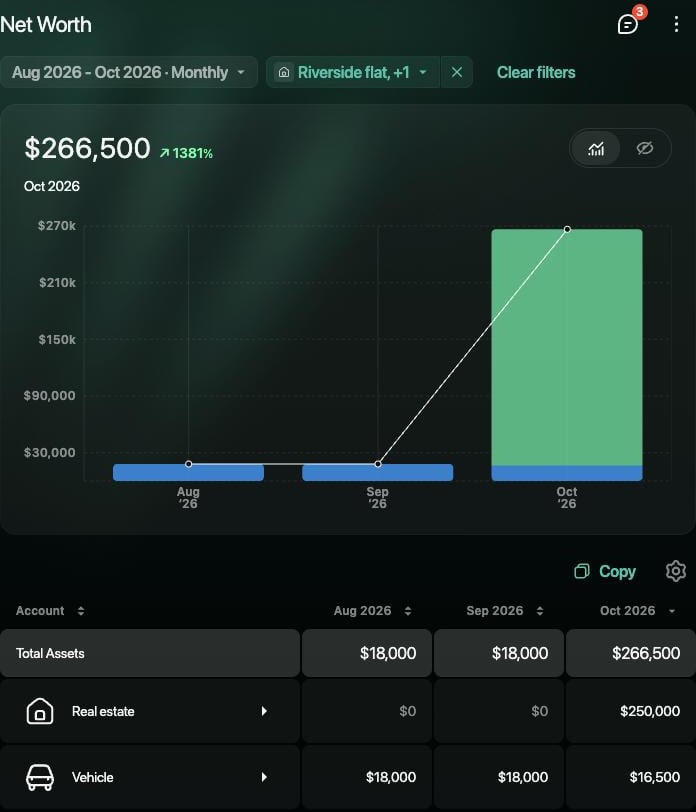
Net Worth adds your property to Total Assets, with a line for each kind, such as Real estate and Vehicle. Each month shows the value at the end of that month. In the example, the car shows 18,000 USD until September and 16,500 USD in October. In Net Worth Change on the web, a new value appears in Net flow, not as a gain.
Net Worth for Aug–Oct 2026 filtered to Riverside flat and Blue hatchback: $266,500 in October; Real estate $0, $0, $250,000; Vehicle $18,000, $18,000, $16,500.

Net Worth with a line for each kind of property.

Financial Plan, a finerd Pro feature on the web and iOS, adds property such as real estate and vehicles to a scenario. Real estate starts with an Appreciation rate of 5% a year and a vehicle with a rate of 0%; set your own rate to match how you expect the value to change.