
Change the language
- Web
- Android
- iOS
- Select your profile at the bottom of the sidebar.
- Select Language: English (the row shows the current language).
- Choose a language from the list.
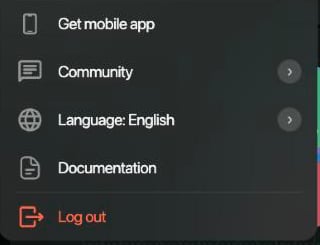
The language row in the profile menu.
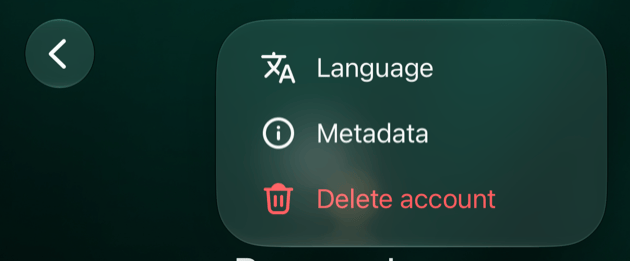
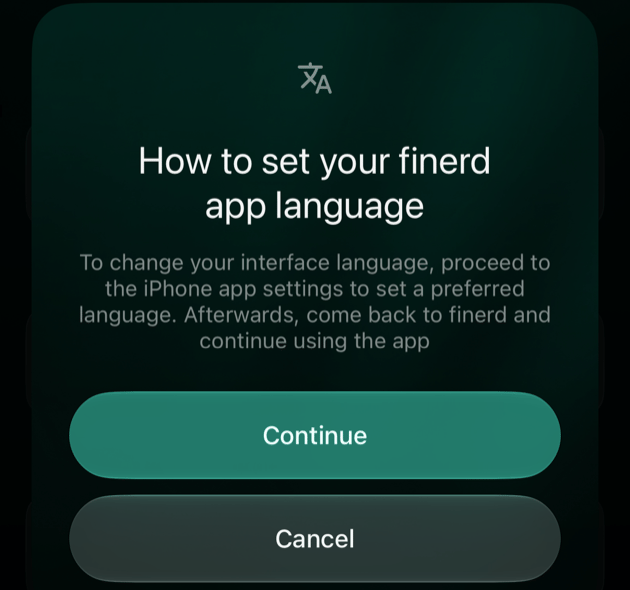
Which language finerd starts in
Until you choose one, finerd uses your device’s language if it speaks it, and English otherwise:- Web: the first of your browser’s languages that finerd speaks.
- Android: your phone’s language.
- iOS: the first of your iPhone’s languages that finerd speaks. If your iPhone’s first language is Russian and finerd would otherwise open in English, it opens in Ukrainian. You can switch it as above.
What changes and what doesn’t
- Screens and buttons change to the new language.
- Names created with your space, such as categories and the Wallet account, stay in the language the space was created in. Rename them in finerd if you like.
- Inbox messages show in the language finerd uses when you read them, if the message has a translation in it.
- Notifications and most emails follow the language of your finerd app on iPhone or Android, which the app reports to finerd. Changing the language on the web doesn’t change them. Sign-in code emails come in the language of the page or app you sign in from.
- The finerd bot in Telegram, WhatsApp and iMessage answers in the language you write in.
- Help: Documentation in the web profile menu opens this help in Ukrainian if finerd is in Ukrainian, and in English otherwise. See Contact support.