> ## Documentation Index
> Fetch the complete documentation index at: https://help.finerd.ai/llms.txt
> Use this file to discover all available pages before exploring further.
# How finerd processes transactions automatically
> How finerd fills in the merchant, category and transfers for your bank transactions, learns from your changes and updates similar transactions.
When a transaction arrives from your bank, finerd fills in who you paid (the merchant), what the money was for (the category) and whether it's money moving between your own accounts (a transfer). It looks first at how you've recorded similar transactions before, so the changes you make shape what comes next.
This happens on finerd's servers for every transaction from a connected bank, so the result is the same on the web, Android and iOS. Transactions you add yourself aren't processed this way. Connecting Monobank is free; [connecting other banks](/institutions/connect-institution) needs Pro. finerd doesn't mark which details it filled in, and there are no rules to set up: you correct a transaction the same way you edit any other.
What happens to a new bank transaction
Each transaction your bank sends goes through the same steps:
1. **Merchant.** finerd reads the bank's description of the payment and finds the merchant.
2. **Category.** It chooses one of your categories, or leaves the transaction uncategorized.
3. **Transfer check.** If the payment looks like money moving to or from another of your accounts, finerd looks for the other half.
When a pending payment is posted, finerd updates the transaction it already has instead of adding a second one. A transaction finerd couldn't categorize is marked **Needs review**; see [Review imported transactions](/transactions/review-imported-transactions).
How finerd finds the merchant
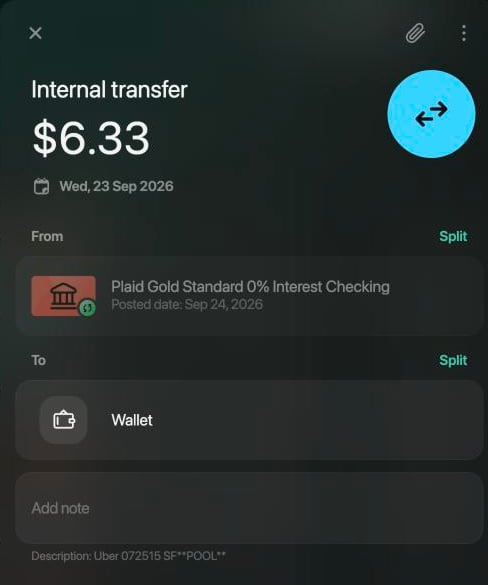
The bank sends a short description, such as `Uber 072515 SF**POOL**`. finerd turns it into a merchant in this order:
1. **Your earlier transactions.** If you've already changed and saved, or confirmed, a transaction with the same or a very similar description, finerd uses its merchant. This is how a merchant you chose once comes back by itself.
2. **finerd's merchant library.** Otherwise finerd recognizes the merchant from the description and takes its name, logo and industry from the library, which all finerd users share.
3. **Unknown merchant.** If nothing fits, the merchant stays **Unknown merchant**. The bank's description stays with the transaction, so you can still tell what it was.
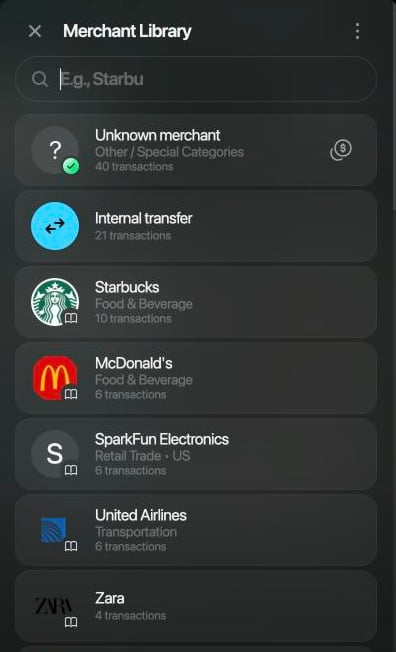
To change the merchant, open the transaction and select the merchant's icon at the top (on Android and iOS, tap the merchant). In **Merchant Library** (on Android, **Merchants**), pick a merchant or type a name to [add your own](/transactions/categories-merchants-tags#merchants). If the transaction had **Unknown merchant** and no category, finerd fills in a category for the merchant you pick; **Finding the best category for this merchant…** shows while it looks. Check the suggestion before you select **Save**: it can be wrong, for example an expense category for money that came in.
How finerd chooses the category
finerd only uses [categories you already have](/transactions/categories-merchants-tags#categories); it doesn't create new ones. It chooses in this order:
1. **Your earlier transactions.** If you've changed and saved, or confirmed, transactions with a very similar bank description, finerd gives the new one their category.
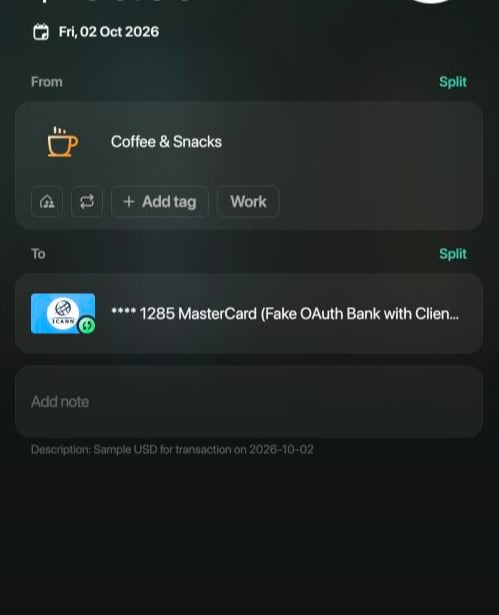
2. **What the merchant does.** If there's no such history, finerd picks the category that best fits the merchant, for example **Coffee & Snacks** for a coffee shop.
3. **Uncategorized.** If nothing fits, the transaction gets **Uncategorized Expense** or **Uncategorized Income** and **Needs review**.
Only the transactions in the same space count. Your history is matched by the bank's description, not by the merchant name: payments to one shop that the bank describes differently can end up in different categories until you correct each kind once.
A refund from your bank arrives as money coming in and isn't linked to the purchase. If you've spent with that merchant before, finerd gives the refund the category of that spending; otherwise it gets an income category, such as **Uncategorized Income**. See [When a refund comes from your bank](/transactions/record-refund#bank-refund).
Transfers between your accounts
When you move money between two of your accounts, your bank reports the money leaving one of them. finerd looks for the other half among your transactions from around the same days with a similar amount, even in another currency, and records the move as **Internal transfer**, so it doesn't count as spending or income.
* **Both accounts connected:** each bank sends its own half. Until the second one arrives, the amount waits in **Money on the way**, an account finerd creates for each pair of your accounts.
* **You recorded the transfer yourself:** when the bank's half arrives and finerd matches it, finerd keeps the bank's transaction and removes your copy.
finerd doesn't match a transaction you've already changed. If it misses a transfer or matches the wrong one, see [If a transfer is recorded wrong](/transactions/transfer-or-exchange#fix).
When one change updates similar transactions
When you change one bank transaction, finerd can process similar transactions again so that they follow your change. Nothing tells you this happened, and there's no undo.
It happens when all of these are true:
* You changed one transaction and saved it. Changing several at once with bulk edit doesn't do this.
* The transaction came from your bank and has a merchant.
* You changed its merchant, its category (when it has only one), or turned it into a transfer by choosing one of your accounts. Splitting it doesn't count.
finerd then looks in the same space for transactions from your bank with a very similar description that you haven't changed or marked as reviewed yourself, and processes them again:
* Normally, only transactions finerd **imported in the last 7 days**. The import date counts, not the transaction date: right after you connect a bank, months of its history arrive at once and can all change.
* In [Zero Inbox](/transactions/review-imported-transactions#zero-inbox) mode, only transactions still marked **Needs review**.
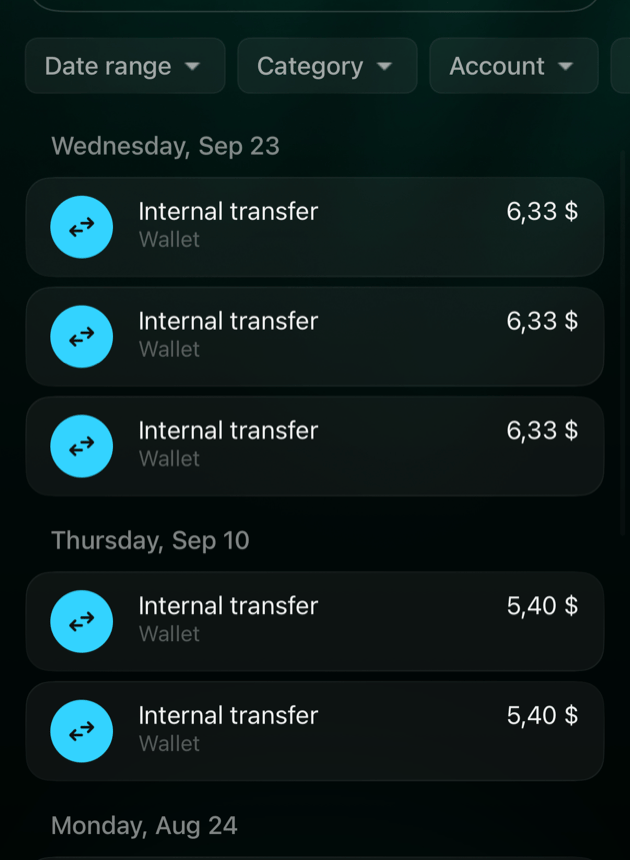
For example, after one Uber ride was moved from the category **Transit & Rideshare** to the cash account **Wallet**, 12 more rides with similar descriptions on two other accounts, from July to September, became **Internal transfer** to Wallet.
To check what changed, search **Transactions** for words from the bank's description; search covers the description too. To change many transactions without touching any others, use [bulk edit](/transactions/review-imported-transactions#bulk): it never updates similar transactions. To undo, change the transactions back, for example with the same bulk edit.
Start one transaction over
**Reimport** fetches one transaction from your bank again and runs every step above for it, as if it had just arrived. It discards your changes to the category, merchant and parts. See [Reimport a transaction](/transactions/review-imported-transactions#reimport).
This documentation is built and hosted on [Mintlify](https://mintlify.com), a developer documentation platform.