> ## Documentation Index
> Fetch the complete documentation index at: https://help.finerd.ai/llms.txt
> Use this file to discover all available pages before exploring further.
# Manage personal and family transactions
> Share a household expense from a private account, keep a joint-account purchase private, and see how partner edits, categories and transfers sync.
In family accounting, every part of a transaction is either personal or family. A family part appears in your partner's space as a shared expense; a personal part counts only in your expenses. A personal purchase from your private account stays hidden from your partner, but one from a joint account doesn't: they still see the payment. You decide this per transaction: share a household expense you paid from your own card, keep one purchase from a joint account to yourself, or share only part of a receipt.
Family accounting is a **Pro** feature of a Personal space (your partner's access is free) and works on the web, Android and iOS. This article assumes the two of you are already linked; to invite your partner or make an account joint, see [Set up family accounting](/family-accounting).
How a transaction becomes family
The family mark belongs to a part of a transaction, not to the whole payment. Only expense and income parts can be family: a transfer between accounts, a debt or an asset part can't.
Where the money comes from decides the starting point:
| Paid from | New transactions are | To change it |
| - | - | - |
| Your private account | Personal | [Mark the part as family](#mark-as-family) |
| A [joint account](/family-accounting#joint) | Family, from the account's start date | [Remove the family mark](#make-private) |
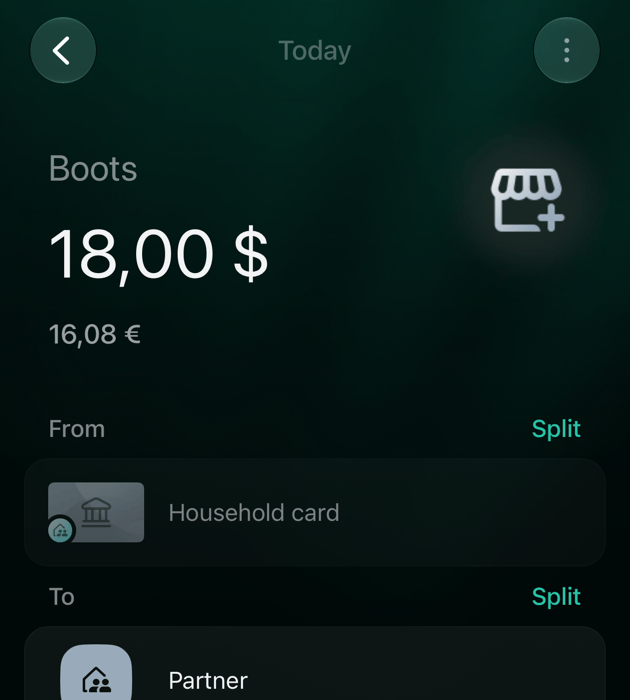
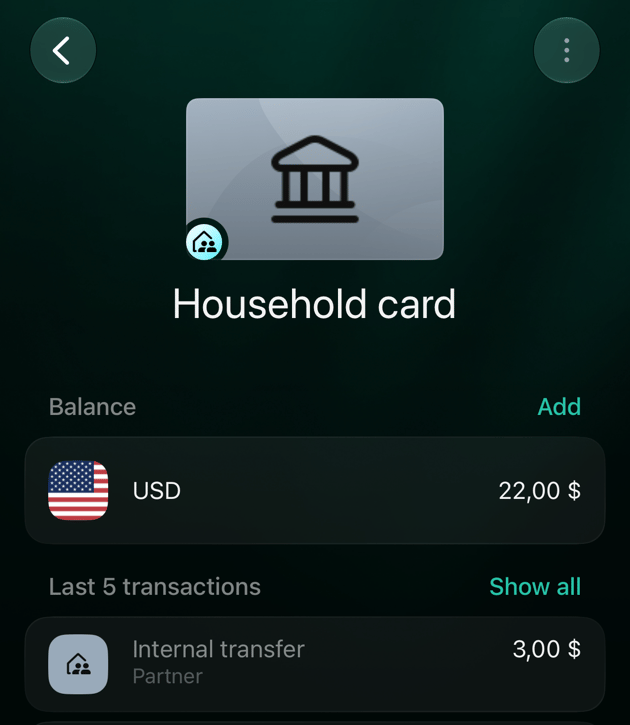
Your partner gets a copy of each family part. In their space it comes from the account that stands for you (named **Partner** by default), or from their copy of the joint account. Your private account, its name and its balance stay hidden.
On their copy your partner can choose the category, add tags and a note, and split the shared amount between their own categories. They can't change the amount you paid, the date or the account it came from: those follow your original. What each side sees in filters and reports is in [What your partner sees](/family-accounting#partner-sees).
Share an expense from a private account
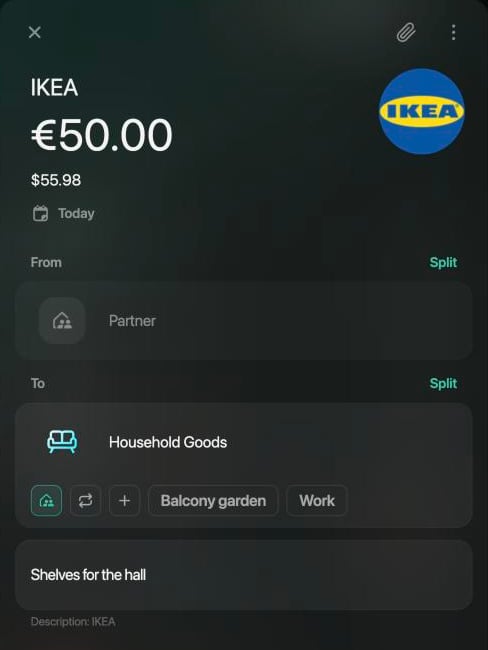
Use this for a household expense you paid from an account you don't share, such as dinner for both of you on your own card. You share the expense, not the account.
1. Open the transaction in **Transactions**.
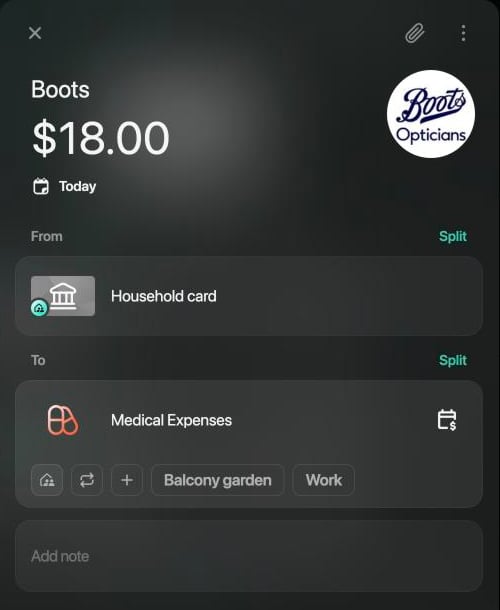
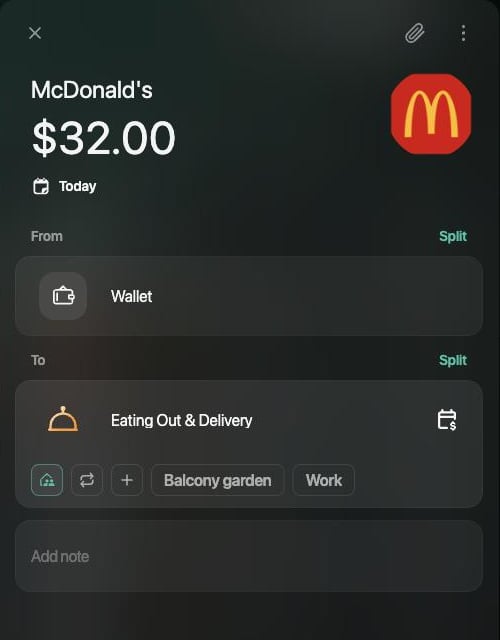
2. Under the category in **To**, select the family icon, the first button under the category. Point at it to see **Mark as Family**; when no tags are shown under the category, the button also reads **Family**.
3. Select **Save**.
 1. Open the transaction in **Transactions**.
2. Under the category, tap the family icon, the first button in the row. It has no label and stays highlighted while the part is family.
3. Tap **Save**.
1. Open the transaction in **Transactions**.
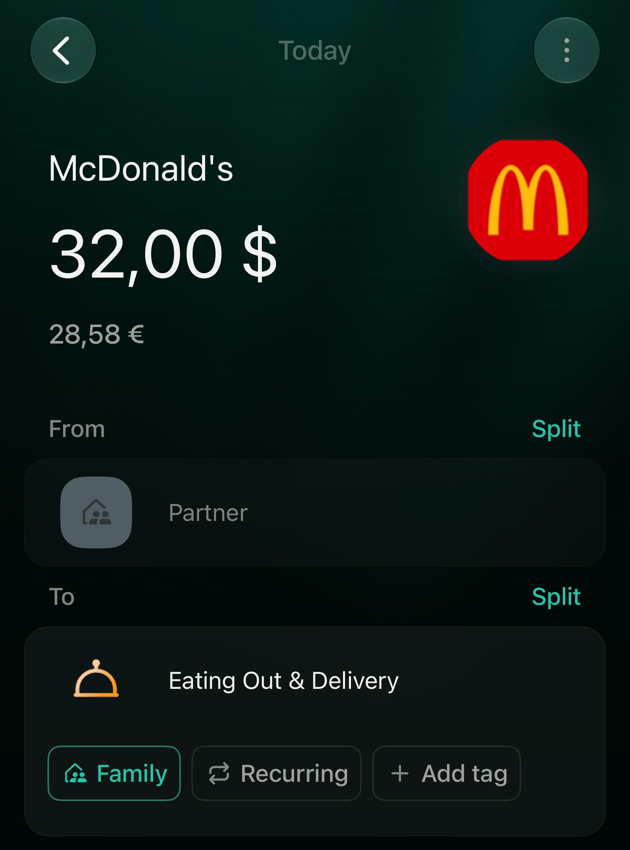
2. Under the category, tap **Family** (only the icon when the part has tags). It's highlighted while the part is family.
3. Tap **Save**.
If there is no **Family** button under the categories, turn it on: **More** → the space icon in the top-right corner → **Appearance** → **Family**.
1. Open the transaction in **Transactions**.
2. Under the category, tap the family icon, the first button in the row. It has no label and stays highlighted while the part is family.
3. Tap **Save**.
1. Open the transaction in **Transactions**.
2. Under the category, tap **Family** (only the icon when the part has tags). It's highlighted while the part is family.
3. Tap **Save**.
If there is no **Family** button under the categories, turn it on: **More** → the space icon in the top-right corner → **Appearance** → **Family**.
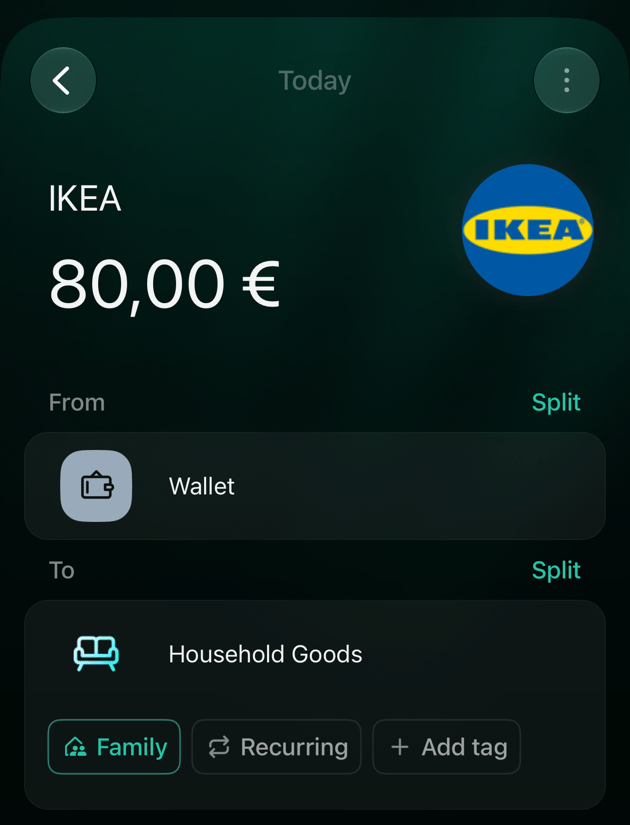 Your partner now sees the expense in their transactions with the family badge. They see only the family part, and it comes from the account that stands for you, not from your card.
To mark several transactions at once, select them in **Transactions**, then **Edit** → **Mark as family** (on mobile, in the bulk actions of the selection). Bulk edit only adds the mark; you remove it one transaction at a time.
Your partner now sees the expense in their transactions with the family badge. They see only the family part, and it comes from the account that stands for you, not from your card.
To mark several transactions at once, select them in **Transactions**, then **Edit** → **Mark as family** (on mobile, in the bulk actions of the selection). Bulk edit only adds the mark; you remove it one transaction at a time.
Keep a joint-account transaction private
Every new transaction on a joint account is family. If one purchase is just yours, such as a present for your partner paid from the shared card, remove the mark:
1. Open the transaction.
2. Select the highlighted family icon under the category so it's no longer highlighted. Do this for each part you want to keep personal.
3. Select **Save**.
The money still left the joint account, so your partner still sees the payment, its amount and the merchant name, but not as a family expense: in their space it's a transfer from the joint account to the account that stands for you, without a category. It doesn't count in their expenses.
Only the person who records transactions on the joint account can do this: on a bank-connected joint account, the partner who shared it; on a manual one, either of you.
Share only part of a transaction
When one payment mixes household and personal things, [split it](/transactions/split-transaction#other-parts) into parts and mark only the household part as family. Example: an IKEA payment of €80 split into Household Goods €60 (family) and Shopping €20 (personal). Your partner gets an expense of €60; the €20 stays yours.
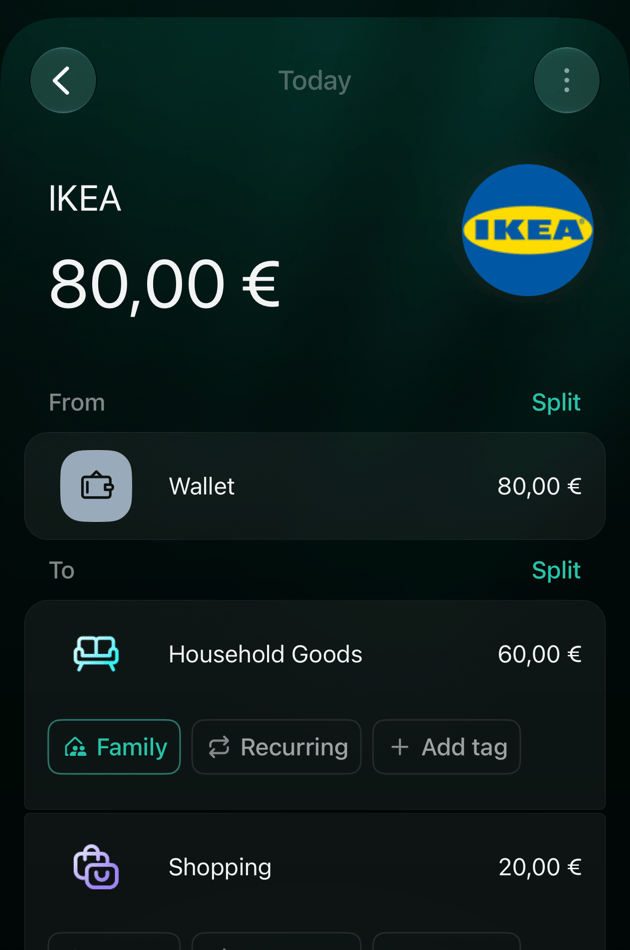 On a joint account it works the other way round: the parts start as family, and you remove the mark from the personal part. Your partner sees that part as a transfer to the account that stands for you.
Your partner can split their copy between their own categories, but can't add another source: finerd answers **Can't split 'From' on the family transaction**.
On a joint account it works the other way round: the parts start as family, and you remove the mark from the personal part. Your partner sees that part as a transfer to the account that stands for you.
Your partner can split their copy between their own categories, but can't add another source: finerd answers **Can't split 'From' on the family transaction**.
Categories on a shared transaction
Whose categories apply depends on **Share categories & tags** in **Family access** ([how to switch it](/family-accounting#categories)):
* **On** (the default for a new family): a shared transaction arrives with your category and tags. If either of you changes the category, it changes for both, and the other person's transaction is flagged for review.
* **Off**: each of you categorizes shared transactions separately, and a category you change updates only your own reports.
To see how your partner filed a transaction they paid, open it and select **⋮** → **Partner's categorization** (web and iOS).
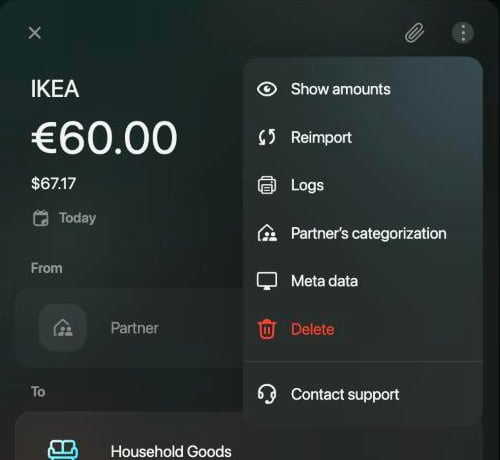 Android doesn't have the switch or **Partner's categorization** yet.
When your partner changes a shared transaction
The partner who paid owns the original, and your copy follows it. When they change the amount or the split, your copy changes too. If you had already edited your copy, for example added a note, it's flagged for review with the reason **Your partner updated this transaction**; your own category, tags and note stay. Open it, check what changed, then select **Mark as reviewed** or save a change of your own. See [Find transactions that need review](/transactions/review-imported-transactions#needs-review).
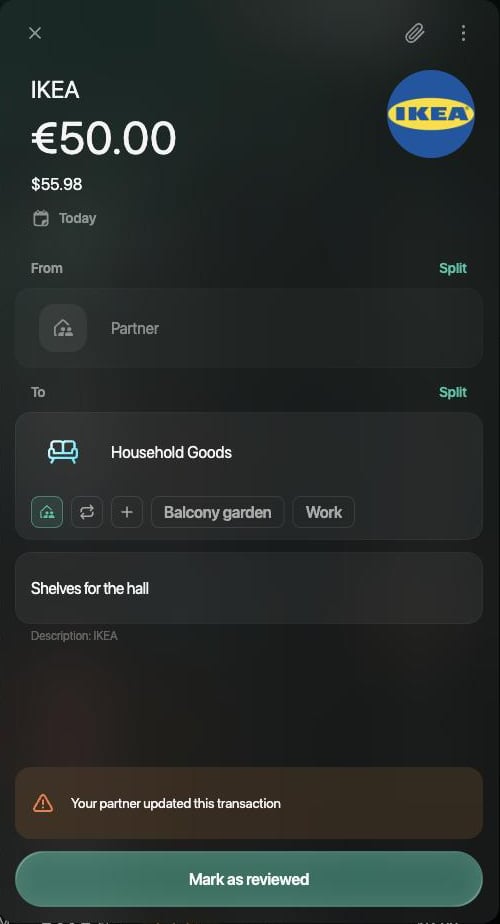 It works the other way too. When you change your copy in a way that reaches the original, such as the category with shared categories on, your partner's transaction is flagged with the same reason.
**If your partner removes the family mark from their copy** (web and iOS), finerd treats the purchase as theirs. Your original turns into a transfer from your account to theirs, and you get the review flag. On Android the receiver can't remove the mark: the app asks them to ask the payer.
It works the other way too. When you change your copy in a way that reaches the original, such as the category with shared categories on, your partner's transaction is flagged with the same reason.
**If your partner removes the family mark from their copy** (web and iOS), finerd treats the purchase as theirs. Your original turns into a transfer from your account to theirs, and you get the review flag. On Android the receiver can't remove the mark: the app asks them to ask the payer.
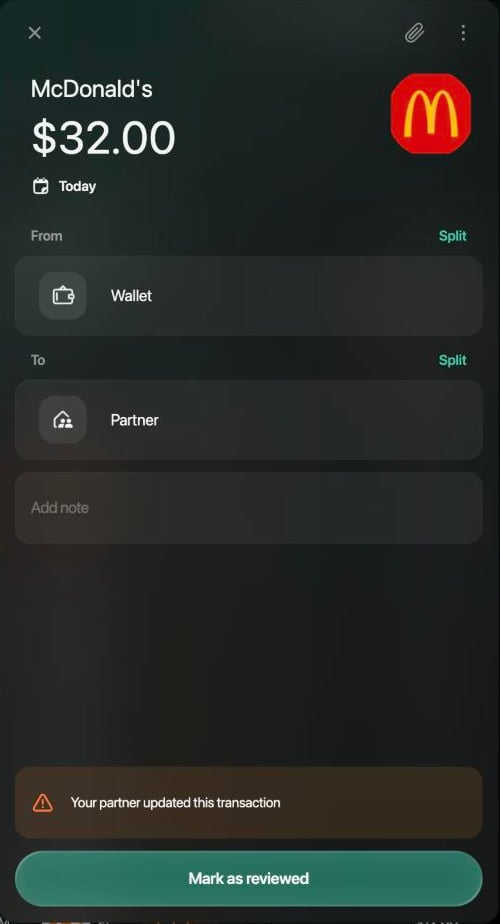 **If you delete a copy** of an expense your partner paid from a private account, the sharing stops: their original becomes personal again and gets the same review flag.
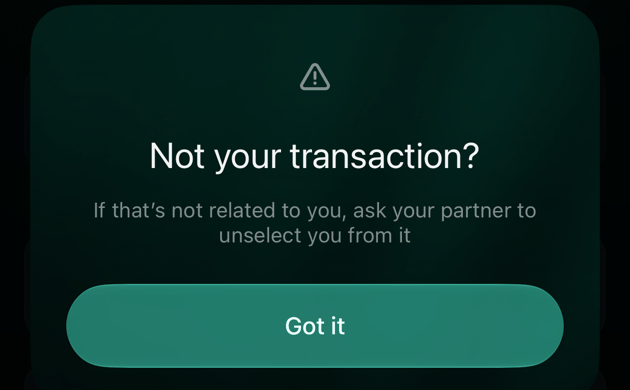
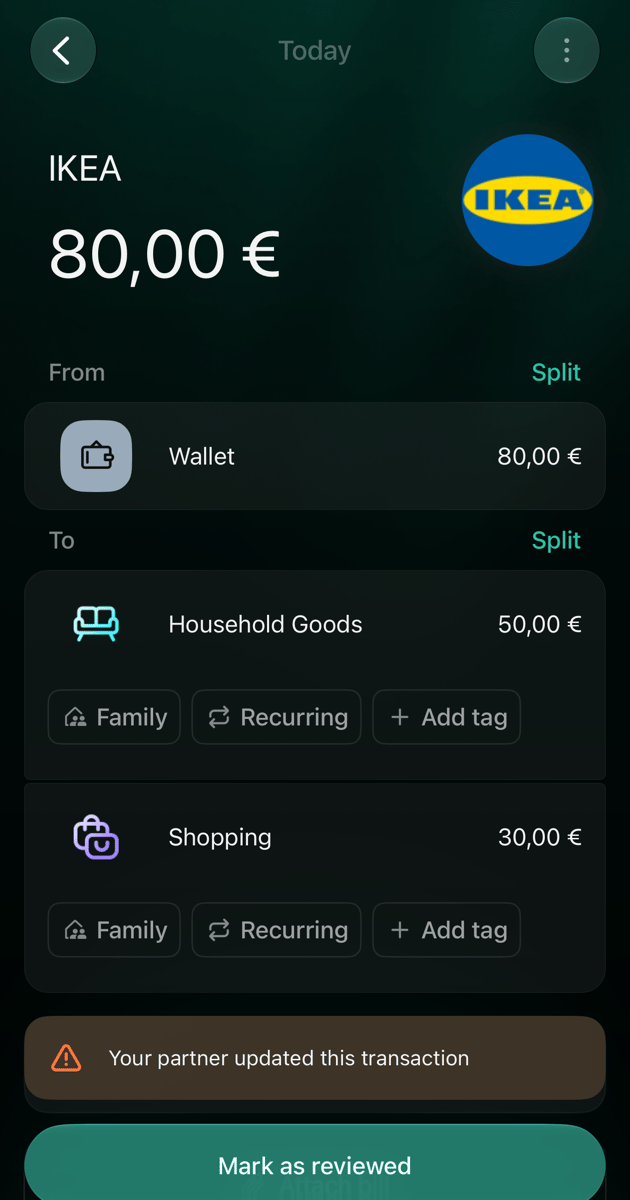 **A copy from a joint account** can't be deleted from the receiving side: finerd says **Not your transaction?** and asks you to ask your partner to remove you from it.
 On Android a changed transaction shows the review dot and **Mark as reviewed**, without the reason text.
Transfers between private and joint accounts
A transfer moves money; it's never a family expense. What your partner sees depends on where the money goes:
| You transfer | Your partner sees |
| - | - |
| From a joint account to your private account | **Internal transfer** from the joint account to the account that stands for you. Your private account stays hidden. |
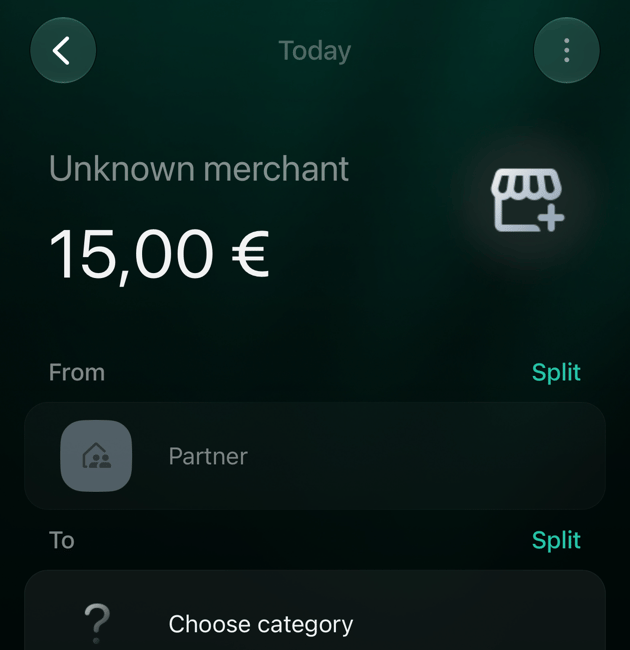
| From your private account to your partner | A transaction from the account that stands for you, without a category and flagged for review. They choose where the money went: their own account if they received it there, or a category if you paid for something of theirs. |
To give money to your partner, choose their account under **Transfer To/From** (web: in the **Family accounts** group) as the destination, so it isn't counted as your expense. Their account can't be the source of a transaction you add.
Related articles
* [Set up family accounting](/family-accounting)
* [Split a transaction](/transactions/split-transaction)
* [Review imported transactions](/transactions/review-imported-transactions)
* [Family spending report](/reports/income-expenses-cash-flow#family)
This documentation is built and hosted on [Mintlify](https://mintlify.com), a developer documentation platform.