> ## Documentation Index
> Fetch the complete documentation index at: https://help.finerd.ai/llms.txt
> Use this file to discover all available pages before exploring further.
# Track business equity in finerd
> Record the money owners put into a business and take out of it, such as investments, withdrawals and dividends, with Equity accounts in finerd.
Equity accounts record the money owners put into a business and the money they take out of it, such as a starting investment, a withdrawal of profit or a dividend. In finerd, these movements go between an **Equity** account and the business's bank or cash account, so they never count as the business's income or expenses.
Equity accounts exist only in [business spaces](/business/create-business-space), which need their own subscription after the 34-day trial. You add equity accounts and record owner transactions on the **web** and **iOS**. The Android app shows equity accounts but can't add one or use it in a transaction. The **Balance Sheet** report, which totals equity, is on the web only.
What equity accounts are for
An equity account isn't money the business holds. It's a record of what the owners have put in and taken out, so the business's own accounts can show where their money came from.
Every new business space starts with two equity accounts:
* **Owner Investment** for money the owners put into the business.
* **Profit Withdrawal** for profit the owners take out.
finerd names them in the language your app used when you created the space.
You can add your own, for example **Dividends**, or one account for each partner's investment. finerd keeps an equity account's movements separate from income and expenses:
| What happened | **From** | **To** |
| - | - | - |
| You put €5,000 of your own money into the business | **Owner Investment** | The business's bank or cash account |
| You take €1,200 of profit out | The business's bank or cash account | **Profit Withdrawal** |
| The business pays a dividend | The business's bank account | Your dividends account, such as **Dividends** |
A business cost you pay with your own card isn't an owner investment in finerd; record it in your Personal space instead. See [Pay business costs from your Personal space](/business/create-business-space#personal-link).
Add an equity account
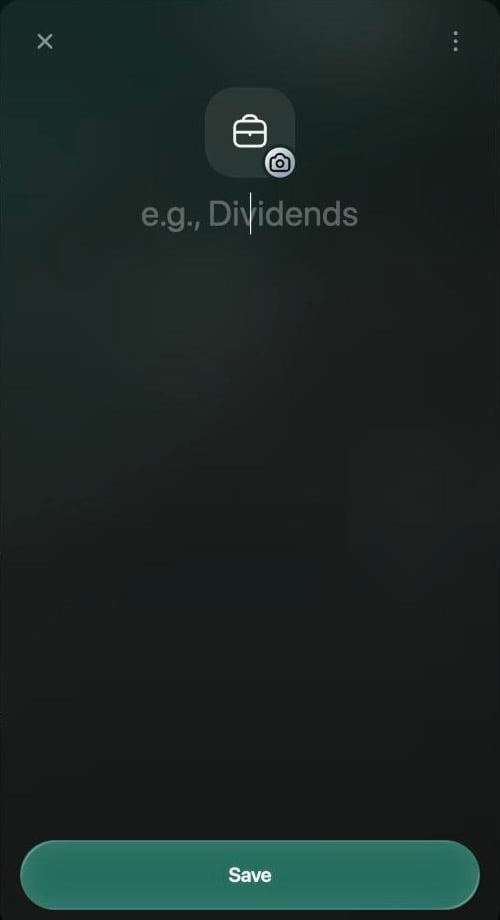
An equity account has only a name and an icon. You don't enter a currency or a starting balance: its total comes from the transactions you record with it.
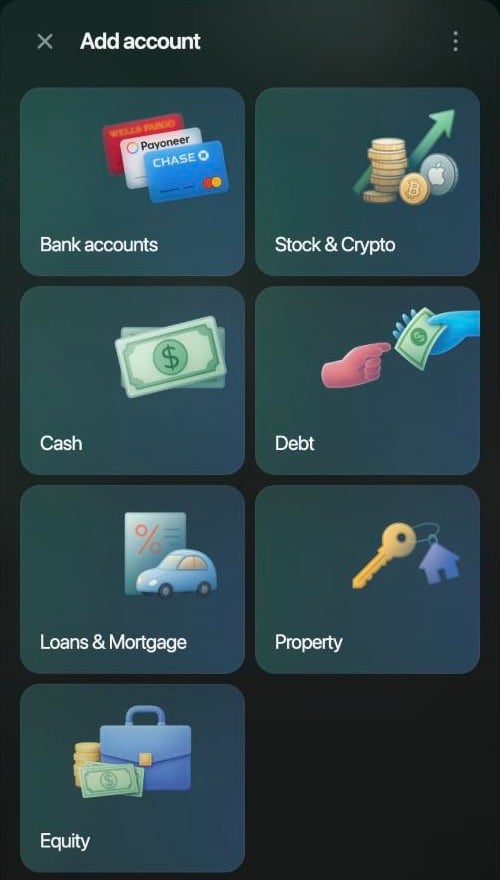
1. Open **Accounts** and select **Add account**.
2. Select **Equity**. It's at the end of the list and appears only in a business space.
3. Enter a name, for example **Dividends**. To change the icon, select it.
4. Select **Save**.
The Android app can't add an equity account. Add it on the web or iOS; it then appears in **Accounts** under **Equity**.
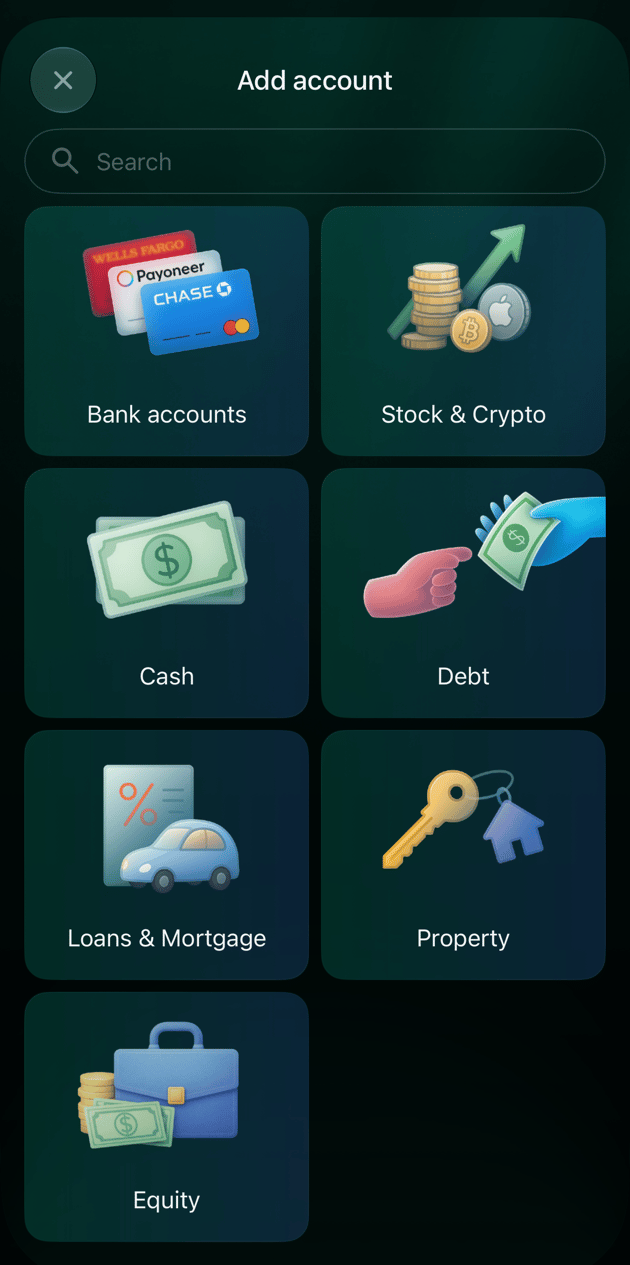
1. Open **Accounts** in **More** and tap **+**.
2. Tap **Equity**. It's at the end of the list and appears only in a business space.
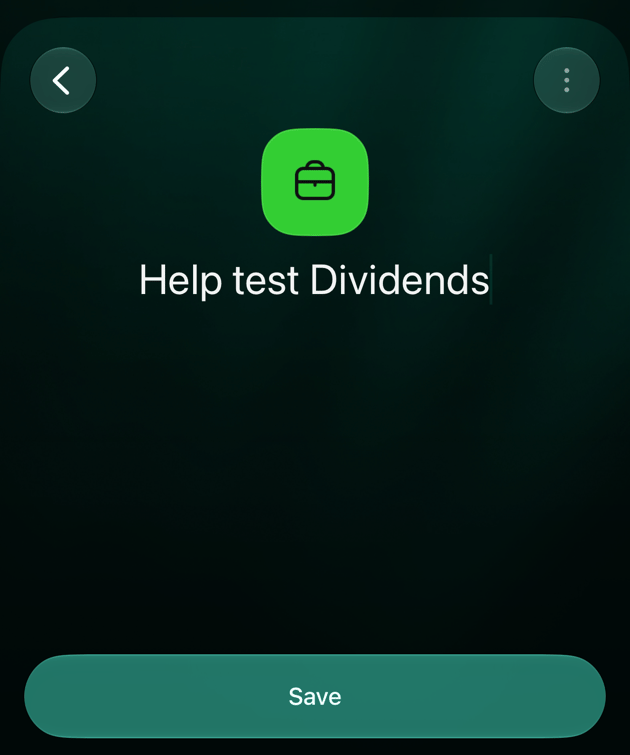
3. Enter a name, for example **Dividends**. To change the icon, tap it.
4. Tap **Save**. finerd confirms with **… account created**.
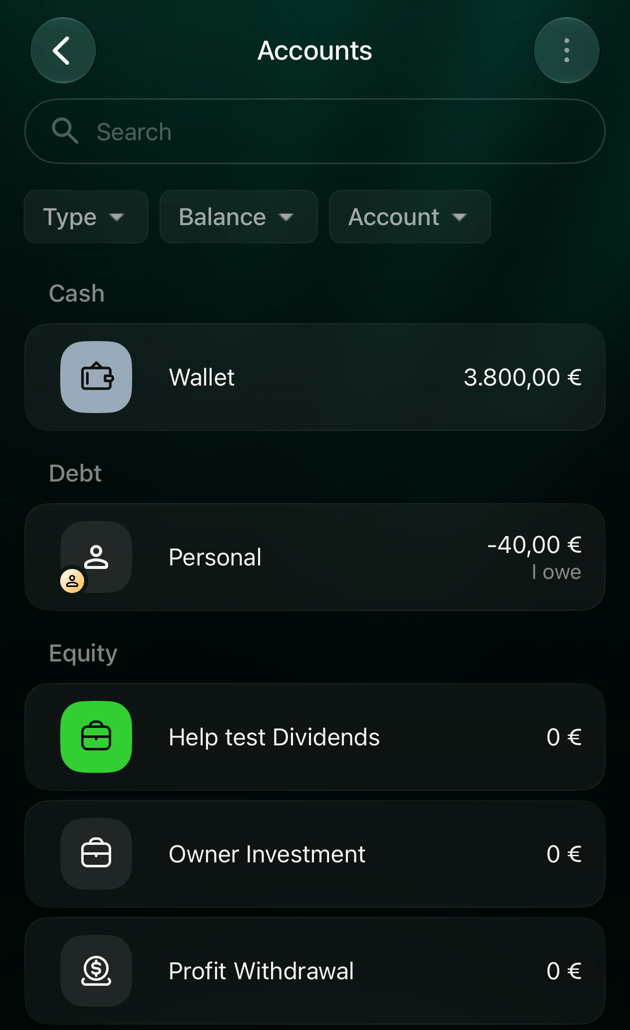 The account appears in **Accounts** under **Equity**.
Record money you put in
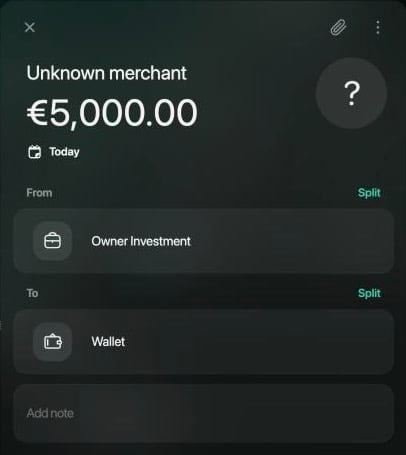
When you put your own money into the business, record a transaction from an equity account to the account that received the money. There's no separate transaction type for it: start an income and change **From**.
1. On the **Dashboard** or the **Transactions** page, select **Add transaction**, then **Income**.
2. Select **Skip** to leave out the merchant.
3. Enter the amount, for example 5,000, and select **Continue**.
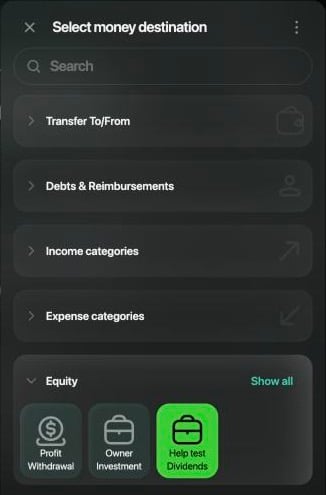
4. Select **From**. In the list that opens, open **Equity** and select **Owner Investment** or your own equity account. On the web, this list is titled **Select money destination** on both sides.
5. Check that **To** is the bank or cash account that received the money, and the date.
6. Select **Save**.
The Android app can't use an equity account in a transaction: **Equity** isn't in the list of accounts and categories for **From** and **To**. Record the investment on the web or iOS.
1. Tap **+**, then **Income**.
2. Tap **Skip** to leave out the merchant.
3. Enter the amount, for example 5000, and tap **Continue**.
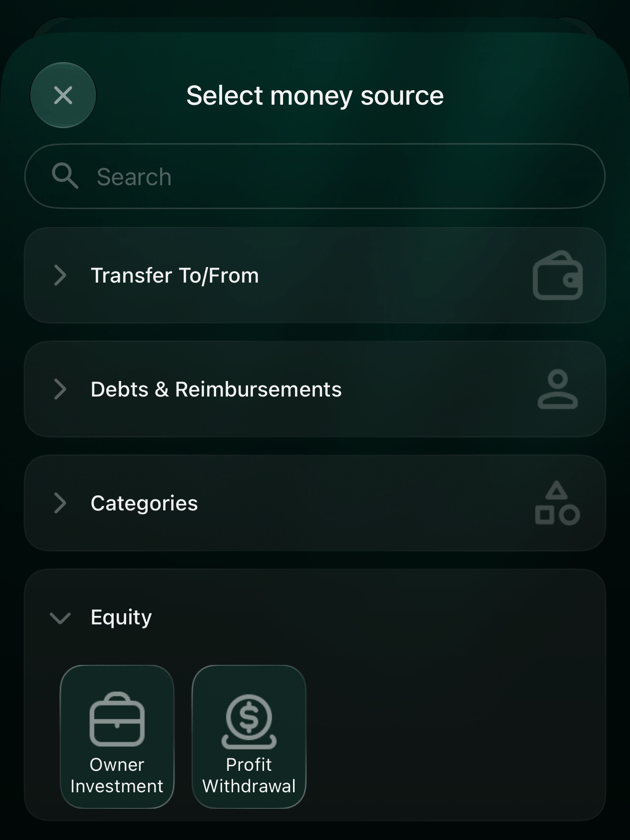
4. Tap **From**. In **Select money source**, open **Equity** and tap **Owner Investment** or your own equity account.
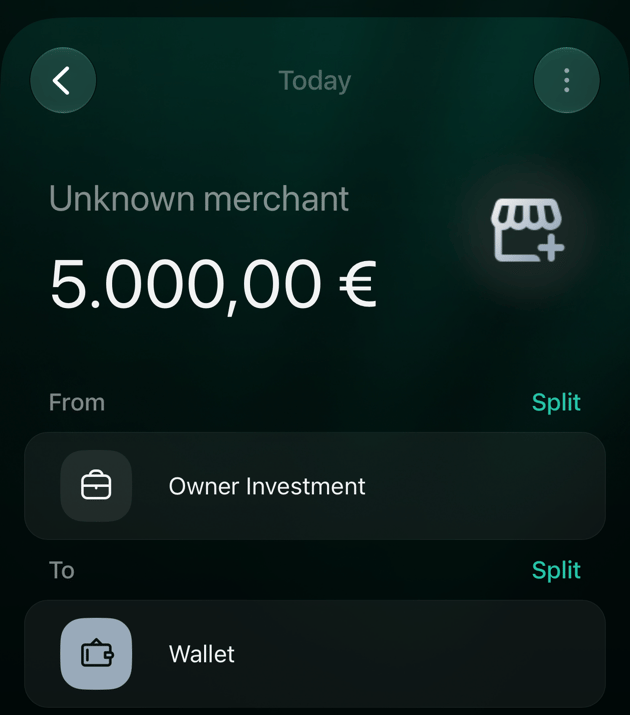
5. Check that **To** is the bank or cash account that received the money, and the date.
6. Tap **Save**.
The money appears in the business account's balance, and the transaction shows with a plus, like income. It doesn't count in **Expenses**, **Income** or **Profit & Loss**.
Record a withdrawal or dividend
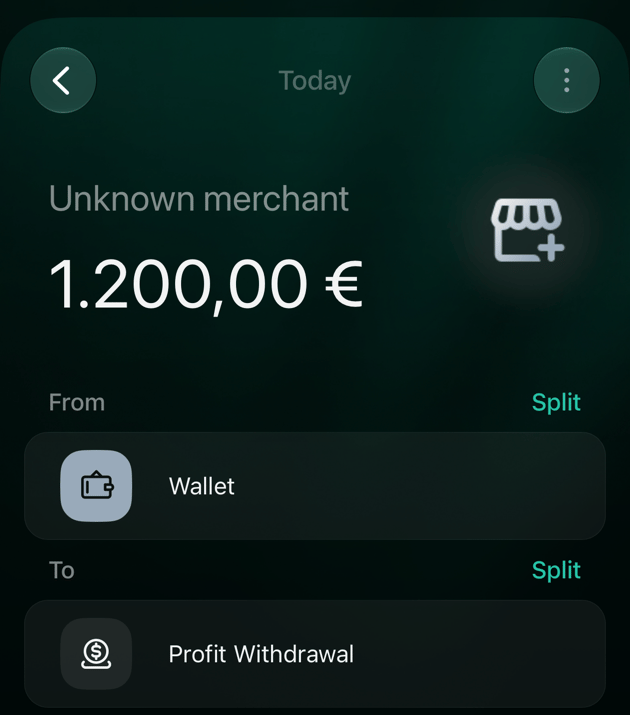
When you take money out of the business, record a transaction from the business account to an equity account. Start an expense and change **To**.
1. On the **Dashboard** or the **Transactions** page, select **Add transaction**, then **Expense**.
2. Select **Skip** to leave out the merchant.
3. Enter the amount, for example 1,200, and select **Continue**.
4. Check that **From** is the bank or cash account the money left.
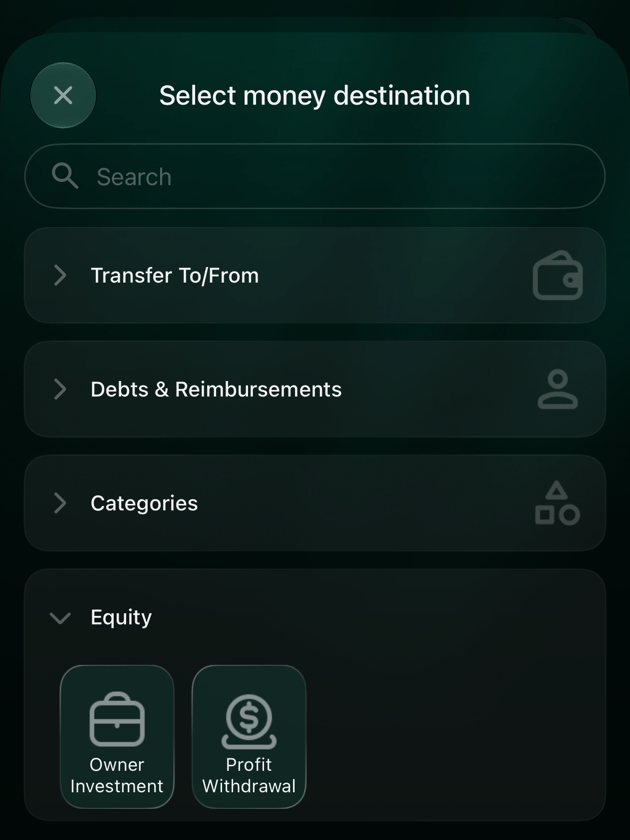
5. Select **To**. In **Select money destination**, open **Equity** and select **Profit Withdrawal**, or your dividends account.
6. Select **Save**.
The Android app can't use an equity account in a transaction. Record the withdrawal on the web or iOS.
1. Tap **+**, then **Expense**.
2. Tap **Skip** to leave out the merchant.
3. Enter the amount, for example 1200, and tap **Continue**.
4. Check that **From** is the bank or cash account the money left.
5. Tap **To**. In **Select money destination**, open **Equity** and tap **Profit Withdrawal**, or your dividends account.
6. Tap **Save**.
The money leaves the business account's balance, but it isn't an expense: the business's **Expenses** and **Profit & Loss** don't change.
If the money went from the business account to your own account in your Personal space, record the income there separately; finerd doesn't copy owner withdrawals between spaces.
See how much was put in and taken out
An equity account doesn't have a balance you set or verify, and **Accounts** doesn't show a running total for it: the web shows a dash and iOS shows 0. To see its movements:
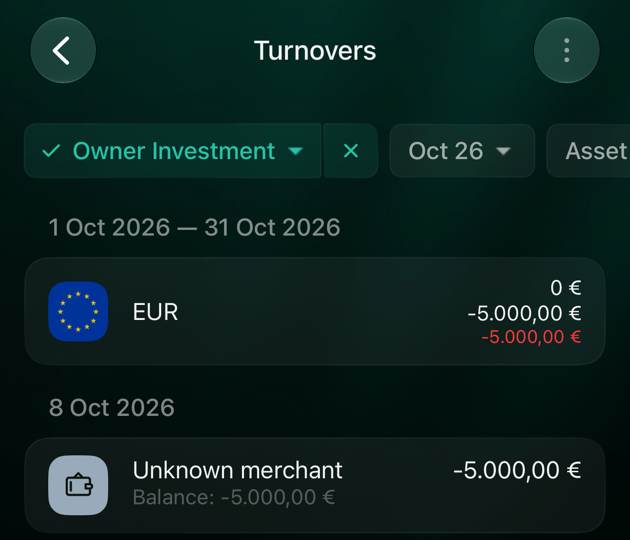
* Open the account to see its latest transactions, and select **Show turnovers** in its menu for the total over a period. **Turnovers** shows money put in with a minus: in bookkeeping, equity sits on the opposite side from the money the business holds.
* On the web, open the **Balance Sheet** report, which totals equity as a positive amount; see [Equity in reports](#reports).
Open **Accounts**, select the equity account, then the **⋮** menu and **Show turnovers**.
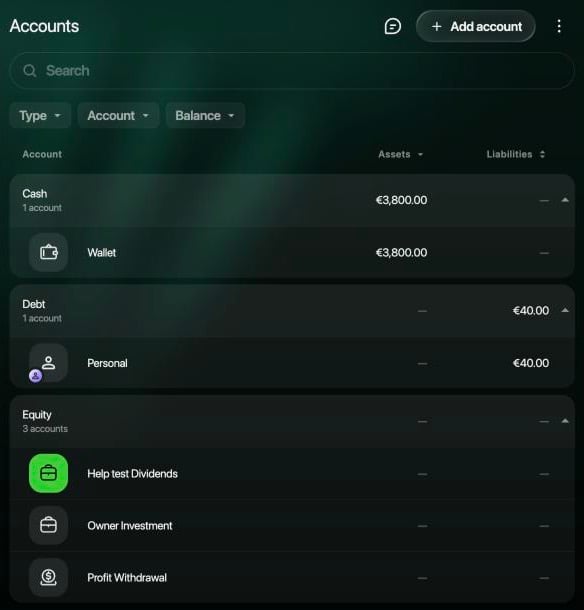 Open **Accounts** in **More** and tap the equity account. Its menu has **Turnovers**.
Open **Accounts** in **More**, tap the equity account, then the **⋮** menu and **Show turnovers**.
Open **Accounts** in **More** and tap the equity account. Its menu has **Turnovers**.
Open **Accounts** in **More**, tap the equity account, then the **⋮** menu and **Show turnovers**.
Equity in reports
Owner transactions move money without earning or spending it, so finerd keeps them out of the reports about the business's results:
| Report | How equity shows |
| - | - |
| **Expenses**, **Income**, **Profit & Loss** | Not included. **Profit & Loss** counts only income and expense categories. |
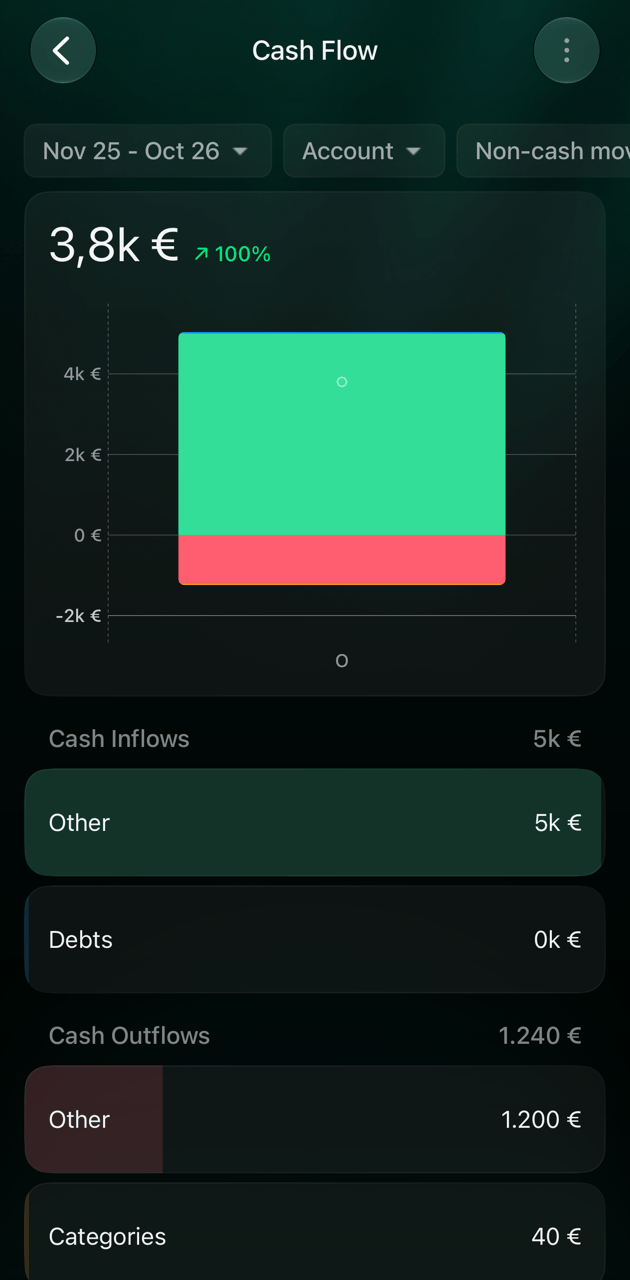
| **Cash Flow** | Under **Other**: an investment is a cash inflow, a withdrawal or dividend an outflow. |
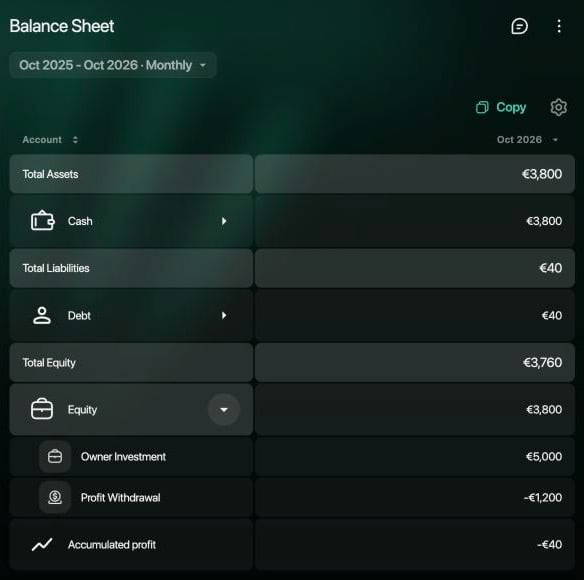
| **Balance Sheet** (web) | Under **Total Equity**, next to **Total Assets** and **Total Liabilities**. Money put in counts as positive equity, withdrawals as negative. **Accumulated profit** adds up the business's income and expenses to date. |
For example, after a €5,000 investment, a €1,200 withdrawal and €40 of expenses, **Cash Flow** shows €5,000 in and €1,200 out under **Other**, and **Profit & Loss** shows only the €40 of expenses. **Balance Sheet** shows **Owner Investment** €5,000 and **Profit Withdrawal** −€1,200 under **Equity**, **Accumulated profit** −€40, and **Total Equity** €3,760: the €3,800 left in the business minus the €40 it owes.
Open **Reports**. **Profit & Loss** and **Balance Sheet** are with the other reports in a business space. In **Balance Sheet**, select the arrow next to **Equity** to see each equity account.
 The Android app doesn't have **Profit & Loss** or **Balance Sheet**. Open them on the web.
Open **Reports**. iOS has **Profit & Loss** and **Cash Flow**, but not **Balance Sheet**.
The Android app doesn't have **Profit & Loss** or **Balance Sheet**. Open them on the web.
Open **Reports**. iOS has **Profit & Loss** and **Cash Flow**, but not **Balance Sheet**.
 **Profit & Loss** and **Balance Sheet** are available to the **Owner**, **Admin** and **Accountant** roles, and to other members you give access to them; see [Choose a role](/business/manage-members#roles). To read them, see [View business reports](/business/business-reports).
Rename, archive or delete an equity account
You can rename an equity account, change its icon, archive it or delete it, including **Owner Investment** and **Profit Withdrawal**. You can't change its type.
* **Archive** hides the account and keeps its transactions.
* **Delete** removes the account and all its transactions, and can't be undone. Archive an account you no longer use instead, so past investments stay in your reports.
Open **Accounts** and select the account. To rename it, select the name, type a new one and select **Save**. The **⋮** menu has **Show turnovers**, **Import transactions**, **Meta data**, **Archive**, **Delete** and **Contact support**.
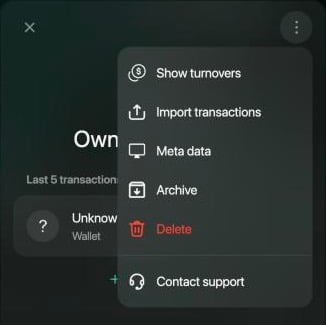 Open **Accounts** in **More** and tap the equity account. To rename it, tap the name, type a new one and tap **Save**. **Archive** and **Delete** are in its menu.
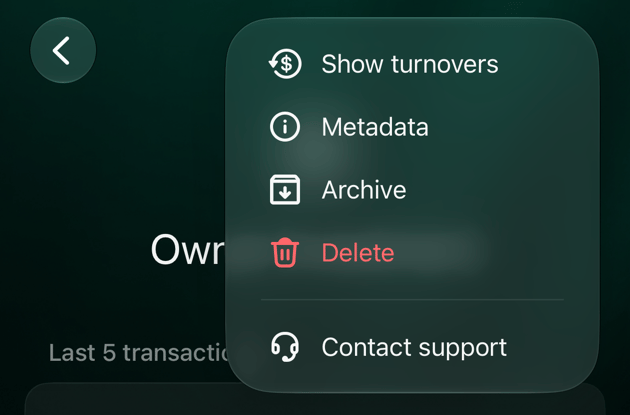
Open **Accounts** in **More** and tap the account. To rename it, tap the name, type a new one and tap **Save**. The **⋮** menu has **Show turnovers**, **Metadata**, **Archive**, **Delete** and **Contact support**.
Open **Accounts** in **More** and tap the equity account. To rename it, tap the name, type a new one and tap **Save**. **Archive** and **Delete** are in its menu.
Open **Accounts** in **More** and tap the account. To rename it, tap the name, type a new one and tap **Save**. The **⋮** menu has **Show turnovers**, **Metadata**, **Archive**, **Delete** and **Contact support**.
 * [Create a business space](/business/create-business-space)
* [Invite and manage business-space members](/business/manage-members)
* [View business reports](/business/business-reports)
* [Add or edit a transaction](/transactions/add-transaction)
* [Analyze income, expenses and cash flow](/reports/income-expenses-cash-flow)
* [Create and set up an account](/accounts/create-account)
This documentation is built and hosted on [Mintlify](https://mintlify.com), a developer documentation platform.
* [Create a business space](/business/create-business-space)
* [Invite and manage business-space members](/business/manage-members)
* [View business reports](/business/business-reports)
* [Add or edit a transaction](/transactions/add-transaction)
* [Analyze income, expenses and cash flow](/reports/income-expenses-cash-flow)
* [Create and set up an account](/accounts/create-account)
This documentation is built and hosted on [Mintlify](https://mintlify.com), a developer documentation platform.